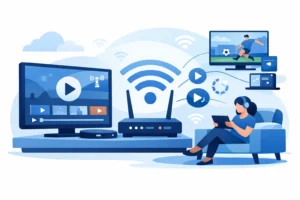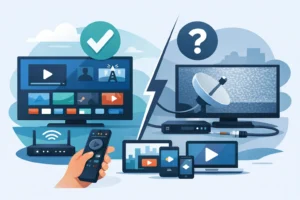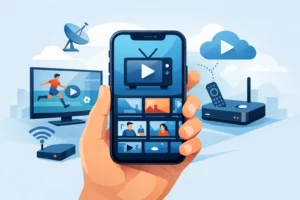
Picking a live TV app should not feel harder than picking what to watch. But for Android users, that is often the reality. Some apps look polished but lock key channels behind expensive plans. Others offer low pricing but struggle during peak sports hours. If you are searching for the best live tv apps for android, the right choice comes down to one thing – how you actually watch.
For some people, that means local news and cable staples. For others, it means NFL on Sunday, NHL during the week, and enough movie channels to replace three separate subscriptions. Android gives you plenty of options, but not every app fits the same viewer, budget, or device setup.
What makes the best live TV apps for Android worth using?
The best apps are not just packed with channels. They need to load fast, stay stable, and work well on the devices people actually use – Android phones, tablets, Android TV boxes, and streaming hardware built around the Android ecosystem.
A strong app should also make channel surfing easy. That sounds basic, but it matters. If the interface is clumsy, the guide is slow, or streams take too long to open, the app becomes frustrating fast. Sports fans feel this first. A delay of even a few seconds can ruin the experience when a game is live.
Price matters too, but value matters more. A cheap app with weak uptime is not a deal. A more complete service that combines live TV, sports, movies, and series in one place can save money if it replaces cable and several standalone subscriptions.
9 best live tv apps for android right now
YouTube TV
YouTube TV is one of the easiest picks for users who want a familiar, polished experience. The app is clean, setup is simple, and channel navigation feels modern instead of dated. It is especially strong for mainstream US channels, cloud DVR, and household usability.
The trade-off is cost. It is not the budget option many cord-cutters expect. It also depends heavily on your local market for regional coverage, so channel lineups can vary. If you want a premium cable replacement and do not mind paying for convenience, it delivers.
Hulu + Live TV
Hulu + Live TV works well for viewers who want live channels and on-demand content under one login. That bundle appeal is its biggest strength. You are not bouncing between apps all night.
Still, it can get expensive once you move beyond the base plan. The interface is good, but some users find live TV browsing less direct than competitors. It is a solid fit for families that already use Hulu and want fewer separate bills.
Sling TV
Sling TV stands out for flexibility. Instead of pushing one large package, it lets users start smaller and add genre-based extras. That makes it appealing for budget-conscious streamers who do not want to pay for dozens of channels they never watch.
Its weakness is lineup consistency. Local channels are limited in some areas, and getting the sports or entertainment mix you want may require add-ons. Sling makes sense if price control matters more than having everything in one default package.
Fubo
Fubo is built for sports-first viewers. If your week revolves around live games, this app deserves a serious look. It offers strong sports coverage and a layout that feels designed around live events instead of treating them like a side feature.
The issue is that the monthly price can climb quickly. For users who mainly care about movies, general entertainment, or a low monthly bill, it may feel oversized. But for sports households, it often justifies the cost.
Philo
Philo keeps things simple. It is one of the more affordable live TV apps for Android, and that alone makes it attractive. For entertainment channels, lifestyle content, and casual viewing, it covers a lot at a lower price point.
It is not built for everyone. Sports coverage is limited, and that will be a dealbreaker for many viewers. If your goal is cheap live entertainment rather than full cable replacement, Philo is one of the smartest budget picks.
Pluto TV
Pluto TV is easy to recommend for one reason – it is free. You install it, open it, and start watching. That low barrier makes it useful on almost any Android device, especially for casual viewing.
But free comes with limits. You are not getting a full premium live TV lineup, and the channel mix leans more toward curated streams and ad-supported content than true cable replacement. It works best as a secondary app, not the only one you rely on.
TiviMate
TiviMate is a different kind of option. It is not a content provider by itself. It is a powerful player for IPTV users who already have a service subscription. On Android TV and dedicated Android boxes, many users consider it one of the best interfaces available.
That distinction matters. If you install TiviMate expecting built-in live channels, you will be disappointed. If you already have an IPTV provider and want a cleaner, faster, more premium viewing experience, it is one of the strongest app choices in the category.
IPTV Smarters Pro
IPTV Smarters Pro is another popular app for users with an IPTV subscription. It supports live TV, VOD, and series layouts in one place, which makes it practical for households that want a complete streaming dashboard.
The experience depends a lot on the provider behind it. A great service can feel excellent inside IPTV Smarters Pro. A weak one will still feel weak. The app is flexible and widely used, but it is only as good as the streams it is pulling from.
Kodi
Kodi remains relevant because it is customizable and works across many setups. For advanced users, that flexibility is the point. It can be shaped around different media needs and integrated into a wider home streaming setup.
The downside is obvious – setup is not ideal for everyone. If you want plug-and-play simplicity, Kodi can feel like work. It suits users who do not mind configuring things and want more control than a standard live TV app provides.
Which Android live TV app is best for your setup?
If you want a mainstream cable replacement with minimal friction, YouTube TV and Hulu + Live TV are the easiest choices. They are polished, familiar, and simple to start using. You pay more, but you spend less time figuring things out.
If budget is the priority, Sling TV and Philo make more sense. Sling gives more control over channel packages, while Philo keeps the bill low if you do not care much about sports.
If sports are non-negotiable, Fubo moves up the list quickly. It is not the cheapest app, but sports fans rarely choose based on price alone. They choose based on access and reliability when the game is live.
If you already use IPTV or plan to, then the conversation changes. Apps like TiviMate and IPTV Smarters Pro are often better judged by performance, layout, EPG handling, and compatibility. In that category, the app is only half the equation. The provider matters just as much.
That is where many Android users start looking beyond mainstream apps. They want more channels, more sports, more international content, better device flexibility, and one service that can run across Android phones, Android TV, Firestick-style setups, and dedicated boxes. For that kind of viewer, a provider-focused setup using a strong Android-compatible app can be a better fit than another expensive streaming bundle. Services such as PureVisionHD appeal to that audience because they focus on large channel volume, broad sports access, instant activation, and support across common IPTV hardware.
What to check before you install anything
Do not judge an app by screenshots alone. Check whether it supports your specific Android device well, not just Android in general. Some apps feel great on a phone and awkward on a TV box. Others are clearly designed for remote navigation and larger screens.
You should also check whether the app includes DVR, catch-up, favorites, subtitles, and multi-screen support if those features matter to you. These details shape daily use more than marketing claims do.
Finally, think about your real viewing habits. If you watch five channels all week, the biggest package is not automatically the best deal. If your household wants sports, kids content, local coverage, movies, and multicultural channels, then paying more for a fuller setup can actually reduce overall streaming costs.
The best Android live TV app is the one that works fast, fits your budget, and does not force you to patch together three or four services just to watch what you already know you want.