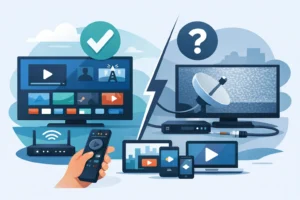
Cable bills rarely rise because you are getting more value. They rise while your favorite sports, local channels, movies, and series get spread across more apps and more monthly charges. An IPTV trial review gives you a smarter way to judge a service before you commit: test the streams you actually watch, on the devices you actually use, at the times your household is busiest.
A short trial should not be treated as a quick channel-count check. Anyone can promise thousands of live channels. The real question is whether the service delivers stable HD or 4K viewing, useful sports coverage, responsive support, and easy setup when it matters. If it does, it can be a practical replacement for a costly cable package. If it does not, you should know before paying for a longer plan.
What an IPTV Trial Review Should Prove
A good IPTV trial is a real-world performance test. It should let you see the interface, load channels, test video quality, and confirm that your preferred device works without unnecessary steps. You are not looking for a perfect-looking channel list. You are looking for consistent access that fits your viewing habits.
Start by making a short list of what matters in your home. For one viewer, that may be NFL Sundays and live news. For another, it may be NHL games, Quebec channels, international programming, and a deep movie library. A family may care more about simultaneous streams across a Smart TV, Firestick, tablet, and IPTV box.
The best result is simple: you should be able to turn on your device, find what you want, and start watching quickly. A service that requires constant troubleshooting is not saving you time, even if the price looks attractive.
Test the channels you will really watch
During your trial, check specific channels instead of scrolling endlessly. Open your local and regional stations, sports networks, news channels, kids programming, and the entertainment channels you watch most. If French-language or Quebec content is part of your routine, test that first rather than assuming it is included and stable.
Also check the organization of the channel guide. A large catalog is useful only when it is easy to search, browse by category, and return to favorites. Look for sensible sports, movie, news, and international sections. If the guide feels cluttered, daily viewing can become frustrating fast.
Channel availability can change, and sports programming varies by event, league, region, and schedule. A trial is the right time to verify the exact game, network, or event you care about instead of relying on a broad promise.
Put Stream Quality Under Pressure
The strongest IPTV services are judged when demand is high, not at 2 p.m. on a weekday. Watch during a major game, a popular live event, or your normal evening viewing window. That is when buffering, slow channel changes, audio delays, and picture drops tend to show up.
Test at least a few live channels in HD and, if your TV and internet connection support it, 4K content. Let each stream run long enough to expose problems that do not appear in the first minute. Switch channels several times and move between live TV, movies, and series. Fast loading matters because it is part of the everyday experience.
Your home network matters too. A provider cannot compensate for weak Wi-Fi, an overloaded router, or a low-speed connection shared by multiple gamers and streamers. If you see issues, test the same channel on another device or closer to the router before deciding the service is the problem. Ethernet is often the best option for a fixed TV setup, while a strong 5 GHz Wi-Fi connection is usually better than older wireless bands.
Anti-freeze technology can help improve reliability, but it is not a magic fix for every connection issue. The goal is stable viewing across the conditions you have at home.
Check Every Device Before Choosing a Plan
Device compatibility should be more than a logo on a sales page. Use the trial on the exact hardware in your home. Firestick users should test navigation with the remote. Smart TV users should confirm the app is easy to install and use. Android and iOS viewers should check how the service performs on mobile. If you use a Formuler box, YokaTV, or an STB-compatible setup, make sure the portal or playlist configuration is clear and works as expected.
Pay close attention to the setup process. Instant activation is valuable only if the credentials arrive quickly and the instructions make sense. You should not need advanced technical knowledge to enter login details, add a portal, or begin watching.
If more than one person watches at the same time, test that too. A single-device trial may look excellent but tell you little about a busy household. Open streams on the TV and a second supported device at once. Confirm whether the plan you are considering includes enough simultaneous connections for your needs.
Do not judge a trial by one perfect stream
One channel playing well for five minutes is not enough evidence. Test several categories and devices, especially if you plan to replace cable entirely. A dependable service needs to handle normal use, not just a best-case scenario.
Sports, Movies, and Series Need Different Tests
Live sports are often the deciding factor for cord-cutters. During the trial, watch a game or event with fast action. Look for motion clarity, stable frame pacing, and audio that stays aligned with the picture. A minor delay may not matter for a movie, but it can be annoying when score alerts arrive before the play on screen.
For movies and series, test browsing and playback. Check whether new titles are easy to find, whether episodes are organized correctly, and whether video resumes reliably. A large video-on-demand library is a major advantage, but current updates and simple navigation matter more than a giant number alone.
Multicultural households should sample the regions and languages they use most. This is where an IPTV package can offer a major advantage over a narrow cable lineup, but only when the content is easy to locate and the streams perform consistently.
Evaluate Support Before You Need It
Support is part of the product. Send one straightforward question during the trial, such as how to configure a device, confirm a connection limit, or locate a category. The answer will show you whether help is available when setup gets complicated.
Fast, clear support is especially valuable for viewers who want plug-and-play service. It also matters when a device update changes an app setting or a household adds a new TV. A provider that offers 24/7 support should be able to give direct instructions, not vague replies that leave you searching for solutions.
PureVisionHD is built around instant activation, broad device support, multi-device options, and a large live TV and on-demand selection. Still, the trial remains your proof point. Use it to confirm that the plan, device setup, and content mix match your household before moving to a longer subscription.
Questions to Ask Before You Subscribe
Before paying, confirm how long the plan runs, how many devices can stream at the same time, and what happens when you need to change devices. Ask whether the package includes the sports, regional channels, and video library categories you tested. Make sure you understand the renewal terms and support process.
It is also wise to use services responsibly and verify that they operate in accordance with the rules that apply where you live. A clear provider should be transparent about the service it offers and able to explain the setup without pressure or confusion.
The right IPTV trial does more than show a long list of channels. It shows whether your home can move from cable to a faster, simpler entertainment setup with confidence. Test it during real viewing hours, use your own devices, and make the decision based on performance rather than promises.