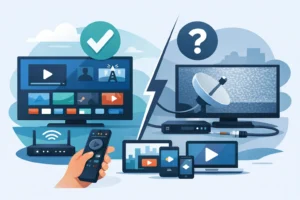
Paying for IPTV without testing it first is how people end up stuck with buffering during the game, missing local channels, or an app that refuses to work on their TV. An iptv trial before buying gives you a fast reality check. You see the actual channel lineup, how stable the streams are, whether sports load on time, and if the service works on the devices you already use.
For most buyers, that trial matters more than any sales page. Big channel counts look good, but performance is what keeps you watching. If you want a cable replacement that works every night, not just on paper, the trial is where you separate a serious provider from a shaky one.
Why an IPTV trial before buying matters
A good IPTV service is about more than raw volume. Anyone can promise thousands of channels, movies, and series. The real question is whether those streams open fast, stay stable, and match the viewing habits in your home.
That is exactly why an IPTV trial before buying is the smart move. It helps you test the basics that affect daily use: picture quality, live sports reliability, local channel availability, app support, and ease of setup. If you are in the US or Canada and you want one service for sports, entertainment, and regional channels, those details are not optional.
A trial also saves money in a way most people miss. The cheapest plan is not really cheap if it freezes during prime time or forces you to keep backup subscriptions. Testing first helps you avoid paying twice for the same goal.
What to test during the trial
The first thing to check is stream stability. Open channels at different times of day, especially in the evening when traffic is heavier. Watch for buffering, long loading times, black screens, and sudden drops in quality. A stable service should open quickly and hold the stream without constant interruptions.
Next, test the channels you actually care about. If you mostly watch NFL, NBA, NHL, UFC, news, and movie channels, ignore the filler and go straight to those. A trial is not about browsing every category. It is about confirming that the service covers your real habits.
Local and regional coverage matters too. Many viewers want more than national feeds. If Quebec content, Canadian locals, or US regional channels matter in your home, search for them during the trial instead of assuming they are included just because the provider advertises a large package.
Picture quality deserves a proper test. HD and 4K claims are common, but quality can vary by channel and by event. Check a few live sports channels, a movie channel, and on-demand content. If motion looks choppy or the image breaks apart during action scenes, that is a warning sign.
Then test the electronic program guide if it is available. A strong lineup is easier to use when the guide is accurate and organized. This sounds minor until you are flipping through categories trying to find a game or live event. Convenience matters when you use the service every day.
Device compatibility is not a small detail
A provider can look excellent until you try it on your actual setup. That is why device testing should be part of every iptv trial before buying. If you use Firestick, Android TV, a smart TV, iPhone, iPad, or an IPTV box, install the app or player you plan to use long term and test everything there.
Some services perform better on dedicated boxes than on older smart TVs. Others work fine on mobile but feel clumsy on television. It depends on the app, your internet connection, and the provider’s stream delivery. The trial should show you whether your setup is plug-and-play or whether it will need extra tweaking.
This is especially important for households with more than one screen. If you expect to watch in the living room while someone else uses another device, you need to know whether the plan supports that smoothly. Multi-device flexibility sounds great in product copy, but it needs to work in practice.
Sports are the biggest stress test
If you mainly want IPTV for sports, your trial should focus there first. Sports expose weaknesses faster than almost anything else. Fast motion, peak-time traffic, and major live events are where poor services fall apart.
Check how quickly sports channels load. See whether major league coverage is easy to find. Test during live games if possible, not just off-hours. A provider that looks fine at noon on a weekday can struggle badly on a packed fight night or playoff evening.
Also pay attention to delay and feed consistency. Some delay is normal with streaming, but excessive lag, constant source switching, or channels disappearing right before kickoff is a bad sign. A serious service should feel dependable when the event actually matters.
On-demand content should still be checked
Even if live TV is your priority, movies and series are part of the value. Use the trial to check how often the library looks updated and whether playback starts cleanly. Search for a few current titles and a few older ones. You are looking for a library that feels maintained, not dumped in place and forgotten.
Organization matters here too. If categories are messy or posters are missing everywhere, that usually points to a weaker overall experience. It does not always mean the service is bad, but it can tell you how much attention the provider puts into the platform.
Customer support tells you what happens after payment
A trial is not only about the stream. It is also your chance to test responsiveness. If you have a setup question, ask it. If login details are unclear, see how quickly support answers. Fast activation and clear help are part of the product, not extras.
This matters because issues do happen. Apps need configuration, playlists need refreshing, and some devices need the right player. A provider with solid support can solve those quickly. A provider that disappears after sending login info becomes your problem fast.
For many buyers, this is where trust is won or lost. A service that responds quickly during the trial is more likely to stay useful after you subscribe.
Red flags to avoid during a trial
Some warning signs show up immediately. If activation takes too long, channel categories are full of dead links, or every premium stream buffers, move on. If the provider avoids simple questions about device support, that is another bad sign.
You should also be cautious if the trial feels heavily restricted in a way that prevents real testing. A short trial is normal. A trial that gives you no meaningful chance to evaluate quality is not. The point is to verify performance before you commit.
Another red flag is a mismatch between the sales pitch and the actual experience. If the service promises easy setup but requires constant troubleshooting, or claims broad compatibility but fails on common devices, the trial has done its job by showing you the gap.
How to make the right buying decision after the trial
Once the test is done, keep the decision simple. Ask whether the service gave you stable viewing, the channels you care about, solid sports access, and easy use on your preferred devices. If the answer is yes, a paid plan makes sense. If you are making excuses for the service after one short test, it is probably not the right fit.
The best provider is not always the one with the biggest number in the headline. It is the one that fits your household without friction. For some people that means strong local and Canadian channels. For others it means sports reliability, 4K support, or smooth use across multiple screens.
That is where a service like PureVisionHD makes the most sense when it delivers what the trial should prove: fast activation, broad compatibility, strong live TV coverage, and stable entertainment access without the cable headache. The point is not just to buy IPTV. The point is to buy the right one the first time.
Treat the trial like a live test, not a free sample. Check the channels you watch, the devices you own, and the times you actually stream. A good service should make that decision easy.