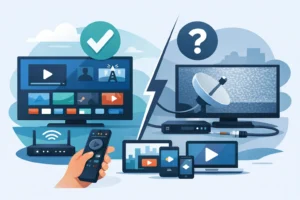
Cable bills rarely stop at the advertised price. Add sports packages, local channels, equipment rentals, and premium movie networks, and the monthly total climbs fast. The best 4k live tv apps give viewers a better route: high-resolution live programming, flexible devices, and more control over what they pay for.
But not every live TV app actually delivers 4K where it counts. Some reserve it for a small number of events. Others require a premium add-on, a specific device, or a fast home connection. If sports, local programming, and a full entertainment lineup are priorities, choosing the right service means looking beyond a bold 4K label.
What Makes a Live TV App Worth Paying For?
A strong live TV app should do more than load channels. It should start quickly, stay stable during big games, work on the screens your household already uses, and make it easy to find what you want. For most cord-cutters, the real value is replacing several separate subscriptions with one dependable entertainment setup.
Start with the channel lineup. A service can advertise thousands of options, but the channels you watch every week matter most. Sports fans should look for league coverage, regional sports availability, major networks, and channels that carry live events. Families may care more about news, kids programming, movies, international channels, and local stations.
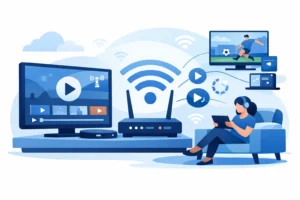
Then check the technical details. True 4K viewing depends on more than the app itself. You need a compatible TV or streaming device, a quality HDMI setup when applicable, and enough internet speed to support high-bitrate video. For a single 4K stream, a reliable connection of roughly 25 Mbps is a practical starting point. Busy homes with several streams should plan for more.
Finally, look at device rules. A low monthly price is less useful if only one person can watch at a time. Multi-device access matters for households where one person watches a game in the living room while someone else streams a series on a tablet or bedroom TV.
Best 4K Live TV Apps: The Main Options
The right choice depends on whether you want a familiar cable-style service, a sports-first package, a budget-friendly channel bundle, or an IPTV setup with far more channel variety.
YouTube TV
YouTube TV is one of the better-known cable replacement apps for viewers who want major U.S. networks, local stations in supported markets, and a polished interface. Its unlimited cloud DVR is a major advantage for households that record games, news, and prime-time shows.
4K is available through an optional add-on rather than the standard plan. That is the trade-off. The app is easy to use and widely supported, but the extra cost can push it closer to a traditional cable bill. Channel availability also changes by market, especially for local and regional sports coverage.
Fubo
Fubo is built with sports viewers in mind. It offers a broad mix of live networks, including channels that matter to fans of football, basketball, baseball, soccer, and more. It also carries local stations in many areas and supports selected 4K events.
Its biggest strength is the sports-focused lineup. Its limitation is price. Once you add premium features or extra channel packages, the monthly spend can rise quickly. Before subscribing, confirm that your must-watch leagues and regional teams are included in your ZIP code.
Hulu + Live TV
Hulu + Live TV appeals to viewers who want live channels and on-demand entertainment in one package. The service combines a live TV lineup with access to Hulu’s on-demand library and, depending on the plan, other major streaming services.
That bundle can be convenient, especially for households that already pay for multiple apps. However, 4K availability is mostly tied to on-demand titles rather than a large number of live channels and events. It is a solid all-around choice, but it is not the strongest option for someone buying specifically for consistent live 4K sports.
DIRECTV STREAM
DIRECTV STREAM is designed for viewers who want a more traditional channel guide without a cable contract. It offers local channels in many markets, a familiar live-TV experience, and broad device support. It can be especially appealing where regional sports networks are a priority.
The downside is straightforward: it can be expensive. Package tiers and sports-focused options may make sense for dedicated fans, but value-conscious cord-cutters should compare the total monthly cost carefully. 4K programming is also limited, so do not choose it on the assumption that every live channel will be available in ultra-high definition.
Sling TV
Sling TV remains a popular choice for people who want lower entry pricing and a more customizable package. It works well for viewers willing to choose between different channel bundles and add only the extras they need.
Its flexibility is the selling point, not broad 4K coverage. Sling may fit a budget-conscious household that mainly wants selected sports, news, and entertainment channels. It is less ideal for viewers seeking a full local-channel replacement or a large 4K catalog from one subscription.
IPTV Services With Compatible Player Apps
For viewers who want more channel volume, international programming, specialized sports content, and device flexibility, IPTV services can be a practical alternative. The app or player is only one part of the equation. The provider’s stream quality, support, uptime, channel organization, and subscription plan have a major effect on the experience.
A quality IPTV service should offer a clear setup process for popular devices such as Fire TV, Android TV, Smart TVs, mobile devices, and IPTV boxes. It should also offer stable streams, an electronic program guide, fast activation, and support when a device needs to be configured.
PureVisionHD is designed for North American viewers who want live TV, sports, movies, series, and Quebec-relevant channels in one subscription-based IPTV setup. Plans with multiple simultaneous devices can make more sense than stacking separate streaming subscriptions across the household.
Always choose services that have the appropriate rights for the content they provide in your location. A large channel count means little if the service is difficult to use, frequently buffers, or cannot support the devices in your home.
How to Compare 4K Live TV Apps Before You Subscribe
Do not compare services based on a single headline feature. Build your decision around your actual viewing habits. If Sunday football, UFC cards, NHL games, or NBA coverage drive your purchase, check each service’s live sports offering first. If local news and network programming matter, confirm local station availability by ZIP code.
Next, look at 4K specifics. Ask which channels, games, or events are truly available in 4K. Check whether 4K costs extra and whether your Fire TV, Apple TV, Roku, Android TV device, or Smart TV model supports it. Some apps may support 4K on one platform but not another.
Also consider these practical buying points:
- Simultaneous streams for multiple people in the home
- DVR storage, replay features, and catch-up availability
- Local, regional, international, and language-specific channels
- Sports package costs and blackout restrictions
- Customer support when activation or setup is needed
- Monthly price after add-ons, taxes, and promotional periods
The cheapest plan is not always the best value. A lower-priced service that misses your favorite local channels or forces you to buy extra apps can become more expensive and more frustrating than one complete subscription.
Get the Best Picture From Your 4K Setup
Even the best app cannot overcome a weak home setup. Use a modern streaming device that supports 4K, keep its software updated, and use a wired Ethernet connection when possible. Wi-Fi can work well, but crowded networks, distance from the router, and older equipment can cause buffering during live events.
For Wi-Fi households, place the router in a central location and use the 5 GHz band when your device supports it. Avoid running large downloads or multiple high-resolution streams during a major game if your internet plan is limited. If video looks soft, confirm that the app’s playback setting is not restricted to lower quality and that your TV input supports 4K.
One more detail matters: 4K is not automatically better if the stream is unstable. A consistent HD stream is often more enjoyable than a 4K feed that freezes during the final minutes of a game. Reliability should always rank alongside resolution.
The best choice is the one that puts your live sports, favorite channels, and household devices in one place without turning entertainment into another monthly billing puzzle. Check the lineup, confirm 4K compatibility, test the service on your primary screen, and choose the plan that gives your home room to watch.