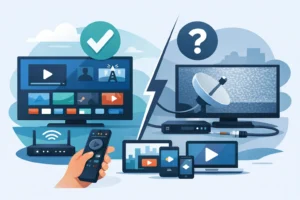
A last-minute goal, overtime buzzer-beater, or UFC main event is not the moment to discover your stream is behind, blocked, or asking for another login. The best apps for live sports give you fast access to the leagues and channels you actually watch, without rebuilding an expensive cable package.
The right choice depends on your sports calendar. NFL fans need a different setup than NBA, NHL, MLS, soccer, college football, or combat-sports viewers. Some services are built around live TV channels, while others focus on one league or a small group of exclusive events. The strongest setup is usually not the app with the biggest name. It is the one that covers your must-watch games on the devices already in your home.
What Makes a Live Sports App Worth Paying For?
Sports streaming is about more than a channel count. A service can advertise hundreds of channels and still miss the regional network, national broadcaster, or local station carrying your team. Before subscribing, check four things: which leagues it carries, whether it includes your local channels, how many devices can stream at once, and whether it works on your preferred hardware.
Stream stability matters just as much. Live sports expose weak connections and overloaded services quickly. Look for HD or 4K availability where offered, reliable playback during peak events, a clean guide, and support for devices such as Fire TV, Android TV, Apple TV, Smart TVs, phones, tablets, and IPTV boxes.
Also check for blackouts and regional restrictions. League rights change by location, and out-of-market packages often exclude games shown locally or nationally. Read the event details before game day, especially for playoffs, pay-per-view cards, and local matchups.
Best Apps for Live Sports by Viewing Style
YouTube TV for a Full Cable Replacement
YouTube TV is a strong option for viewers who want major U.S. sports channels, local networks, and a familiar live-TV experience in one app. Its channel lineup commonly appeals to NFL, NBA, MLB, NHL, college sports, golf, tennis, and motorsports fans. The unlimited DVR is especially useful when games overlap or start late.
The trade-off is price. It is designed as a premium cable replacement, so it makes the most sense for households that also watch news, entertainment, and local television. Confirm regional sports network availability in your ZIP code before committing.
Fubo for Sports-First Households
Fubo is built with sports fans in mind, particularly viewers who follow soccer, international competitions, NFL coverage, and a broad range of live channels. It can be a practical choice for households that want a large live-TV package without relying on a traditional cable provider.
Its value depends heavily on the package and your local market. Channel lineups and regional sports access can vary, and some plans add fees or premium options. Check the exact channels you need instead of choosing based on a headline channel total.
Sling TV for Flexible, Lower-Cost Plans
Sling TV is useful when you want more control over the monthly bill. Its package structure lets viewers choose a base plan and add sports-focused extras when needed. This can work well for fans who mainly need ESPN, TNT, TBS, FS1, or select conference and league networks.
The lower entry price comes with compromises. Local channel availability is limited in many markets, and you may need an antenna or another app for games on ABC, CBS, FOX, or NBC. Sling is best for shoppers who know exactly which channels matter to them.
Hulu + Live TV for Sports and Entertainment Together
Hulu + Live TV combines live channels with a deep on-demand entertainment library. It is a practical household option when one person wants live games and another wants series, movies, and next-day TV episodes. The service typically includes major sports networks and local affiliates in many areas.
It is not the cheapest route for sports only. But for a family replacing several standalone entertainment subscriptions, the bundled value can be easier to justify than maintaining multiple separate apps.
ESPN for Major Events and ESPN+ Exclusives
The ESPN app is essential for anyone who follows ESPN programming. Depending on your subscription and TV provider access, it can deliver live ESPN channels, scores, highlights, replays, and event coverage in one place. ESPN+ adds exclusive live events, including select UFC content, college sports, soccer, tennis, and more.
Do not assume ESPN+ replaces the main ESPN channel. It does not provide every game shown on ESPN or ESPN2. For the broadest coverage, many viewers pair ESPN+ with a live-TV service that includes the traditional ESPN networks.
Peacock for NBC Sports, Premier League, and More
Peacock is a smart add-on for fans whose schedule includes Premier League matches, Sunday Night Football, Big Ten games, motorsports, WWE programming, and selected NBC Sports events. It is often one of the most affordable sports apps, especially when its exclusive events match your interests.
The limitation is simple: it is a supplement, not a complete sports replacement. A marquee game may still air on NBC or another network, so local channel access remains important.
Paramount+ for CBS Sports Coverage
Paramount+ helps cover live CBS sports programming in eligible markets. It can be valuable for NFL games airing on CBS, UEFA competitions, college sports, and other CBS Sports events. For fans who already use it for entertainment, its live sports access is a useful bonus.
Availability varies by plan and location. Make sure your selected tier includes the local live CBS feed if that is the reason you are subscribing.
Prime Video for Exclusive NFL and Event Coverage
Prime Video has become a key app for NFL viewers because of exclusive Thursday night games. It also carries select sports documentaries, regional programming in some markets, and occasional special events. If Thursday night football is part of your weekly routine, this app belongs in your lineup.
It is not a full sports platform, however. Treat it as an essential piece of an NFL setup rather than a complete answer for every Sunday, Monday, and postseason game.
Apple TV for MLS Season Pass
MLS Season Pass inside the Apple TV app is the clearest choice for dedicated Major League Soccer fans. It offers broad access to MLS matches and is particularly useful for viewers who follow teams outside their local market. The interface is clean, and replay options make it easy to catch a match after work.
It is highly focused. If MLS is not a priority, another service may provide better value. If it is, few apps offer a more direct way to follow the league week after week.
League Apps for Dedicated Fans
League-specific apps can be excellent, but they require careful expectations. NBA League Pass is designed for out-of-market NBA games. NFL+ offers mobile-focused access and league content. NHL services and MLB packages can help fans follow teams outside their home market.
The recurring catch is blackout rules. Local and nationally televised games may be unavailable live, even when you pay for a league package. These apps work best as targeted add-ons for fans who follow a league deeply, not as a replacement for local channels.
Build the Right Sports Setup for Your Home
There is no single winner for every household. A football-first home may combine a live-TV app with Prime Video and Peacock. A soccer fan may prioritize Fubo, Peacock, Paramount+, and MLS Season Pass. A value-focused viewer may keep Sling TV during the season, then add one league app only when it delivers the games they cannot get elsewhere.
If you want one place for live channels, sports, movies, and series across compatible devices, an IPTV service can also simplify the experience. PureVisionHD is positioned for viewers who want broad live-TV access, premium sports coverage, and multi-device flexibility without the complexity of traditional cable packages. Always confirm that any provider and package includes the content you want and is authorized for your location.
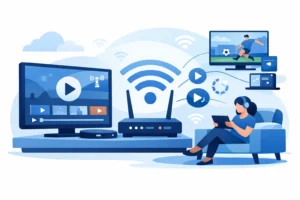
Your hardware can make a major difference. A wired connection is the most reliable option for a main TV, especially during major events. If Wi-Fi is your only choice, use a modern router, stay close to it when possible, and avoid running large downloads during the game. A dedicated streaming device can also perform better than an older Smart TV app.
Before You Subscribe, Check This First
Do not buy based on a promotional price alone. Check the monthly cost after any introductory offer, available simultaneous streams, DVR limits, cancellation terms, and the exact local channels in your area. If several people watch at once, a cheaper plan can become frustrating fast.
Most importantly, make a list of the teams and events you refuse to miss. Match that list to the app’s current rights and schedule, then test the service before a major game if a trial or short-term plan is available. The best sports setup is the one that is ready before kickoff, not the one that looks good on a pricing page.