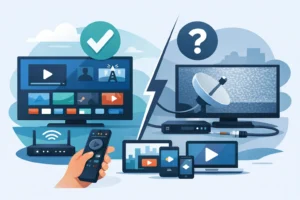
A cheap streaming box can look fine during a movie trailer, then fall apart in the final minutes of a live game. Buffering, delayed audio, frozen channels, and weak Wi-Fi are usually hardware problems as much as service problems. The best IPTV boxes for 4K streaming give you enough processing power, memory, network speed, and app support to keep live TV, sports, movies, and series playing the way they should.
For households replacing cable, the right box is not always the most expensive one. It is the one that works with your TV, your IPTV app, your internet connection, and the number of people watching at once. Here are the strongest options for viewers who want reliable 4K playback without turning setup into a weekend project.
What Makes an IPTV Box Good for 4K?
4K streaming needs more than a label on the box. Look for 4K HDR output, a current Android TV or Google TV platform, dual-band Wi-Fi, and Ethernet if your router is not close to the television. A wired Ethernet connection remains the best choice for live sports and high-bitrate channels because it avoids the interference that can affect Wi-Fi.
Memory matters too. Boxes with at least 2GB of RAM generally feel quicker when opening apps, switching channels, and moving through a guide. More storage is helpful if you install several streaming apps, but it matters less if you mainly use one IPTV player. Compatibility is the deciding factor: make sure your chosen box supports the app or portal format your provider uses, such as M3U, Xtream Codes, or a dedicated IPTV application.
1. Formuler Z11 Pro Max
The Formuler Z11 Pro Max is built for viewers who want an IPTV-first experience rather than a general-purpose streaming device. Its interface is designed around live television, channel guides, favorites, recordings, and fast channel navigation. That makes it especially appealing for homes where IPTV is the main source of entertainment.
It supports 4K playback, modern video formats, dual-band Wi-Fi, and Gigabit Ethernet. The remote is also more TV-focused than the remotes included with many Android streaming devices, which makes daily use easier for family members who do not want to navigate a phone-style app menu.
The trade-off is price. Formuler boxes cost more than entry-level Android devices, and they are best for people who value a polished IPTV interface. If you watch live channels every day, follow sports, and want a cable-box-like feel without a cable bill, this is one of the strongest choices available.
2. NVIDIA Shield TV Pro
The NVIDIA Shield TV Pro remains a premium pick for heavy streamers. Its processor is fast, apps open quickly, and it handles demanding 4K playback with confidence. It also has Gigabit Ethernet, USB ports, strong Wi-Fi performance, and excellent support for major Android TV apps.
This box is a smart choice for users who want IPTV alongside Netflix, YouTube, Plex, gaming features, and local media playback. The AI upscaling feature can make lower-resolution content look cleaner on a 4K TV, though it cannot turn a low-quality stream into true 4K.
Its downside is simple: it is expensive, especially if you only need one IPTV app. Still, if you want the highest-performance Android TV box and expect to use it for more than live television, the Shield TV Pro earns its reputation.
3. BuzzTV X5
BuzzTV boxes are popular with IPTV users because the platform puts live TV functions front and center. The BuzzTV X5 offers 4K capability, a responsive interface, Ethernet connectivity, and a remote designed for television viewing instead of casual app browsing.
The appeal is convenience. Features such as a full electronic program guide, favorites, recent channels, and simple category navigation can make a large channel lineup feel easier to manage. That matters when you want quick access to sports, local stations, movies, and international content without searching through hundreds of channels.
BuzzTV is a strong middle-ground option. It may not be as flexible as a Shield TV Pro, but it provides a more purpose-built experience than many generic Android boxes. Before buying, confirm which BuzzTV app or portal setup is supported by your IPTV provider.
4. Fire TV Cube
The Fire TV Cube is a practical option for viewers who already use Amazon’s streaming ecosystem. It supports 4K content, has a fast interface, includes Ethernet support through its adapter, and combines voice controls with a compact living-room design.
For IPTV, it works best for users comfortable installing a supported player from the app store or using a provider-approved setup method. The familiar Fire TV layout is a major advantage for households that already know how to use a Fire Stick. It is also easy to add mainstream streaming services alongside your live TV app.
The limitation is that Fire OS is more controlled than standard Android TV. Some advanced customization options can be less convenient, and storage is not generous. For a simple, recognizable device with good 4K performance, however, the Fire TV Cube is a dependable choice.
5. Google TV Streamer
Google TV Streamer is a clean, modern option for viewers who want straightforward 4K streaming and a polished Google TV interface. It organizes entertainment apps in one place, supports voice search, and fits naturally into homes that use Android phones, Google Home devices, or YouTube TV-style navigation.
Its performance is suitable for normal IPTV use, especially with a strong Wi-Fi signal or Ethernet connection. It is not an IPTV-specific box, so the experience depends heavily on the player app you choose. That can be a benefit if you like flexibility, but it also means you need to spend a few minutes getting the app, playlist, and guide settings right.
Choose this device if you want a mainstream streaming box that is simple to use and capable of handling IPTV as part of a broader entertainment setup.
6. Apple TV 4K
Apple TV 4K is one of the smoothest streaming devices on the market. Its menus are fast, video playback is polished, and the hardware is built to last. For users already invested in iPhone, iPad, AirPods, or other Apple products, it is an easy addition to the living room.
The catch is IPTV app availability. Apple TV uses tvOS, so it does not support Android-only IPTV apps. You need a compatible app available through the Apple App Store and an IPTV provider that supports the required login method. If your preferred service works with a respected tvOS player, Apple TV 4K can deliver an excellent premium experience.
It is less suitable for users who want to install any Android app they find. It is ideal for viewers who prioritize simplicity, privacy, speed, and a refined interface over deep customization.
7. Certified Android TV Boxes
A certified Android TV or Google TV box from a recognized manufacturer can be the best value choice when you want 4K playback without paying premium-box prices. These devices often support major streaming apps, Google Assistant, Chromecast features, and common IPTV players.
Avoid unbranded “fully loaded” boxes with vague specifications, old Android versions, or promises of every channel already installed. They can have weak processors, unreliable updates, poor security, and limited app support. A low price is not a bargain if the box freezes during UFC, drops frames during NHL games, or needs constant restarting.
For dependable results, choose a certified model with at least 2GB of RAM, 4K HDR support, dual-band Wi-Fi, and Ethernet capability when possible. That combination will serve most homes far better than a no-name device with inflated claims.
How to Choose the Right Box for Your Setup
Start with your connection. If your internet plan is fast but your router is across the house, choose a box with Ethernet or improve your Wi-Fi coverage before blaming the stream. For consistent 4K viewing, a stable connection matters more than headline speed. A household with multiple gamers, video calls, and streaming TVs may need more bandwidth than a single-TV setup.
Next, decide whether you want an IPTV-focused box or an all-purpose streamer. Formuler and BuzzTV are excellent for viewers who want a traditional television experience with guides and quick channel changes. NVIDIA Shield, Fire TV, Google TV, and Apple TV are better for users combining IPTV with a wide range of mainstream entertainment apps.
Finally, buy for the room, not just the spec sheet. A simple remote, clear guide, and easy app access can matter more than extra features you never use. For a high-volume service such as PureVisionHD, a dedicated IPTV box with Ethernet can be the fastest route to a stable, easy-to-manage viewing setup.
The best choice is the box you can connect once, understand immediately, and trust when the game starts. Pair it with a stable internet connection, use a provider-supported app, and your 4K TV will finally have the live TV experience it was built for.