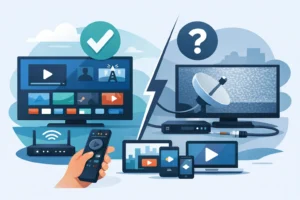
The real choice in IPTV vs Netflix bundles is not just price. It is whether your household wants to watch on demand or wants a full TV lineup ready now. Netflix is built around movies, series, and binge watching. An IPTV package is built for viewers who also want live channels, major sports, news, local programming, and more variety from one screen.
If you are tired of stacking streaming apps while still missing the game, live news, or channels your family actually watches, the difference matters. Here is how to compare the two setups before you pay for another monthly subscription.
IPTV vs Netflix Bundles: The Core Difference
Netflix is an on-demand streaming service. You choose a movie, documentary, or series from its catalog and watch it when you want. It is simple, polished, and excellent for viewers who mainly care about original shows, popular movies, and watching several episodes in a row.
An IPTV bundle delivers television through an internet connection, but its focus is usually much broader. Depending on the provider and plan, it can include live TV channels, sports programming, movie libraries, series, international content, and video on demand. It is designed to feel closer to a cable replacement without the cable box rental, long contract, or limited channel selection.
That distinction changes everything. Netflix gives you a library. IPTV gives you a viewing package that can combine live and on-demand entertainment in one place.
Live TV Is the Biggest Deciding Factor
Netflix does not replace live television for most households. You will not turn on Netflix to channel surf through live news, follow a live NHL matchup, watch an NFL game, or see what is airing on regional stations at that moment. Netflix has released some live programming, but live TV is not the center of its service.
For cord-cutters, that limitation can lead to subscription overload. One service for on-demand shows, another for live sports, another for local news, and another for specialty channels can quickly become expensive and inconvenient.
IPTV is the more practical choice when live viewing is a priority. Sports fans can look for coverage that includes the leagues and events they follow. Families can look for news, entertainment, kids’ programming, and multicultural channels. Viewers who want Quebec or other regional programming should verify that those channels are included before subscribing.
Channel availability varies by provider, location, plan, and licensing rights. Do not assume that every IPTV service carries every local station, event, or premium network. Check the lineup and supported regions first.
Movies and Series: Netflix Still Has a Clear Strength
Netflix remains a strong option for exclusive originals and a familiar on-demand experience. Its recommendations are one of its biggest advantages. Open the app, select a profile, and Netflix quickly suggests content based on what each person has watched.
The trade-off is catalog rotation. A movie you planned to watch may disappear when licensing changes, and content differs by market. Netflix also does not give you the broad live channel experience many viewers expect from a traditional TV package.
Many IPTV plans include movie and series libraries that are updated regularly, alongside live channels. This makes IPTV attractive to households that want both scheduled programming and on-demand entertainment without constantly switching apps. The browsing experience can vary based on the app, device, and provider, so a trial is useful if interface quality matters to you.
For viewers who only want top streaming originals and do not care about live programming, Netflix may be all they need. For viewers who want movies and series plus sports, television channels, and live events, a broader IPTV package usually offers more range.
Sports Fans Need More Than a Streaming Catalog
Sports are where the gap gets obvious. Netflix is not a dependable all-in-one destination for live NFL, NBA, NHL, UFC, soccer, boxing, and other scheduled events. It may carry selected live events or sports-adjacent documentaries, but it is not designed as a full sports TV replacement.
An IPTV provider can be a better fit for fans who do not want to miss game day. A strong package may offer sports channels and live feeds across several leagues, giving viewers more options than a single entertainment app.
Still, be specific about what you watch. Ask whether the plan includes the exact sports channels, events, languages, and regional feeds you need. Blackouts, event rights, and channel availability can change. A provider should be clear about its service terms and authorized availability rather than making vague promises.
If your home revolves around hockey nights, football Sundays, pay-per-view events, or international soccer, live TV access should carry more weight than a large on-demand catalog alone.
Pricing: Compare the Full Monthly Stack
Netflix looks affordable when you compare its monthly price to a large TV package. But the better question is what you will need to add around it. If Netflix is only one part of your entertainment setup, total cost can climb quickly.
A household might pay for Netflix, a live TV streaming service, a sports add-on, and extra subscriptions for movies or kids’ content. That approach can work, but it is fragmented. You are paying multiple bills, using multiple apps, and managing multiple renewals.
IPTV plans are often structured around subscription length and the number of simultaneous devices. That can be valuable for a household with several viewers. One person can watch sports in the living room while another watches a series on a tablet, provided the selected plan supports more than one connection.
The lowest price is not automatically the best value. Compare the number of live channels, on-demand selection, device connections, stream quality, customer support, and activation speed. A cheap plan that buffers during a major game is not a bargain.
Device Compatibility Can Make or Break the Experience
Netflix works on nearly every modern device, and that simplicity is hard to beat. Smart TVs, streaming sticks, game consoles, tablets, phones, and web browsers usually support it with little setup.
IPTV can also work across common hardware, including Smart TVs, Fire TV devices, Android boxes, mobile devices, and compatible set-top boxes. However, the setup depends on the service and the app you use. Some households prefer a plug-and-play IPTV box because it keeps channels, guides, and on-demand content in one dedicated place. Others want an app they can install on the devices they already own.
Before choosing a bundle, confirm three details: whether your exact device is supported, how many devices can stream at once, and whether the provider offers help if setup is not immediate. Fast activation is useful, but real support matters when an app needs to be configured or a device is replaced.
Streaming Quality Depends on More Than the Service
Netflix has a reputation for stable playback because it adapts video quality to your connection and has a highly refined app experience. To watch in HD or 4K, though, you still need adequate internet speed and a device that supports the format.
The same is true for IPTV. HD and 4K streams require a reliable connection, preferably a strong home Wi-Fi signal or a wired Ethernet connection for the main TV. If several people are gaming, downloading, and streaming at once, your network can become the bottleneck.
Look for a provider that prioritizes stable streams, anti-freeze technology, and responsive support. Then do your part at home: restart outdated routers, place Wi-Fi equipment in an open area, and use Ethernet where possible. Better internet setup can improve every streaming service you use.
Which Bundle Is Right for Your Household?
Choose Netflix if your viewing is mostly on-demand and you value its original series, familiar interface, and personalized recommendations. It is a clean choice for a viewer who does not care much about live channels or major sports coverage.
Choose IPTV if you want a bigger entertainment package with live television at the center. It makes more sense for sports fans, multicultural households, channel surfers, and families that want movies, series, news, and live programming without rebuilding a cable-style bundle one app at a time.
For many households, the best answer is not strictly one or the other. IPTV can serve as the main live-TV and entertainment foundation, while Netflix remains an optional add-on for specific originals. The right setup is the one that removes the channels and apps you rarely use while keeping the live events, shows, and devices your household actually depends on.
Start with your weekly viewing habits, not a flashy channel count. If live sports, news, and family viewing are part of the routine, choose a package that makes them easy to find and easy to watch when they are happening.