One screen is never enough anymore. The game is on in the living room, someone else wants a movie in the bedroom, and another person is watching live TV on a tablet. That is exactly why IPTV for multiple devices matters. If your service cannot keep up with how people actually watch, it stops being convenient fast.
For most households, the goal is simple – replace expensive cable, avoid stacking five different streaming apps, and watch what you want on the devices you already own. The catch is that not every IPTV plan handles multi-device streaming the same way. Some let you install the app everywhere but only stream on one screen at a time. Others support true simultaneous viewing, which is what families and shared households usually need.
What IPTV for multiple devices really means
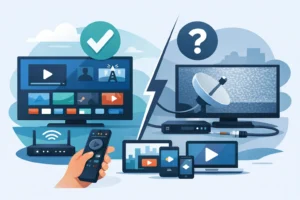
A lot of buyers assume device compatibility and multi-device access are the same thing. They are not. A provider can support Firestick, Smart TV, Android, iPhone, tablet, and IPTV box, but still limit your account to a single active stream.
When people shop for IPTV for multiple devices, they usually want one of two things. They either want the freedom to log in on several devices and switch between them, or they want multiple people watching different channels at the same time. That difference affects price, performance, and the plan you should choose.
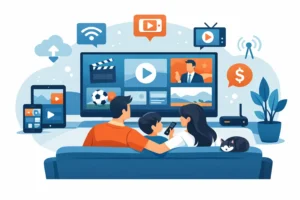
If you live alone, one connection may be enough even if you install the service on several devices. If you have a family, roommates, or a sports-heavy household, you will probably want a plan built for simultaneous streams. Otherwise, someone gets kicked out the second another screen starts playing.
Why multi-device IPTV is worth it
The biggest benefit is convenience, but cost is a close second. Traditional cable charges add up quickly when you want extra boxes, premium sports, international channels, and access in more than one room. With the right IPTV setup, you can spread your viewing across the home without piling on hardware rental fees.
It also fits how people watch now. Live sports on the main TV, kids content on a tablet, local news on a phone, and movies on demand later at night. That mix is normal. A service that works only on one screen feels limiting, especially when you are paying to replace cable, not recreate its restrictions.
For Canadian and North American viewers, this matters even more when sports are part of the reason for subscribing. NFL Sundays, NHL nights, UFC events, and playoff games do not happen in isolation. People want options across rooms, not a household debate over the remote.
The devices that matter most
Good IPTV for multiple devices should work across the platforms people already use. That usually means Smart TVs, Firestick, Android TV boxes, dedicated IPTV boxes, phones, tablets, and in some cases laptops.
Firestick remains popular because setup is quick and the hardware cost is low. Smart TVs are attractive because there is no extra box to manage. Android-based boxes are a strong option for buyers who want more control, stronger app support, and a TV-focused interface. Dedicated options such as Formuler-style devices are often preferred by users who want a cleaner IPTV experience with features built around channel navigation and catch-up support.
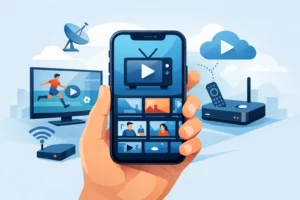
Phones and tablets matter too, even if they are not your main screen. They let you keep access on the go, test streams quickly, or watch in another room without moving equipment around.
The main point is simple – installation on multiple devices is useful, but it only becomes a true household solution when the plan includes enough active connections.
What to check before you buy
The first question is how many simultaneous streams are included. Do not guess. Do not assume that because the app installs on five devices, five people can watch at once. Ask how many active connections the subscription includes and whether more can be added.
The second question is stream stability. Multi-device viewing puts more pressure on the service, especially during peak hours and major live events. Sports fans notice weak infrastructure immediately. If the provider talks about anti-freeze performance, stable uptime, and support during busy periods, that is a better sign than vague promises about endless content.
The third issue is content fit. Large channel counts look good on paper, but channel relevance matters more. If you want US sports, Canadian coverage, local stations, French-language options, or Quebec channels, make sure the lineup matches your actual viewing habits.
Support also matters more than people expect. Multi-device setups are convenient, but they create more chances for login issues, app questions, or home network confusion. Fast help is part of the product, not a bonus.
IPTV for multiple devices and your home internet
Even the best service cannot fix weak home internet. If three people are streaming HD or 4K at once, your connection needs enough speed and stability to handle it. Wi-Fi quality matters just as much as your package speed.
If your router is outdated, far from the TV, or overloaded with smart home devices, buffering can show up even when the IPTV provider is doing its job. Wired connections are often the best option for the main TV or IPTV box. For secondary screens, strong Wi-Fi is usually enough, but placement and signal strength still matter.
There is also a quality trade-off. A household that wants 4K on multiple screens needs more bandwidth than one watching mostly HD. That does not mean you need top-tier internet in every case, but it does mean your home setup should match your viewing habits.
Choosing the right plan for your household
A one-device plan is fine for a solo viewer who watches mainly on one screen and occasionally switches between TV and phone. It is the cheapest entry point and often enough for basic use.
A two-device plan makes more sense for couples or smaller households. It gives flexibility without overpaying for connections you will not use. This is often the sweet spot for people replacing cable in an apartment or condo.
Three or more simultaneous devices are better for families, shared homes, or heavy sports users. If different people regularly watch different content at the same time, buying fewer connections than you need usually creates frustration right away.
This is where a provider like PureVisionHD fits the market well. Buyers looking for instant activation, broad device compatibility, sports access, and plans built around the number of simultaneous devices are not looking for a hobby project. They want fast setup and clear options.
Common mistakes that lead to a bad experience
The biggest mistake is buying based on price alone. Cheap plans look attractive until buffering starts during live sports or you realize only one connection is included. Low price is only a win if the service performs when everyone in the house is watching.
Another common mistake is ignoring app compatibility. Some users buy a plan first and then find out their preferred device needs a different app or setup process. That is avoidable if you confirm support before purchase.
People also underestimate household demand. They think one or two streams will cover everyone, then hit conflict as soon as a big event, weekend, or holiday rolls around. It is smarter to choose for your busiest usage, not your lightest day.
Is IPTV for multiple devices right for you?
If your goal is to cut cable, reduce subscription sprawl, and keep live TV, sports, movies, and series available across the home, the answer is usually yes. The value is strongest when you actually need flexibility. One account, several screens, less friction.
That said, the right setup depends on how your household watches. A solo user does not need to pay for four active connections. A family that watches every night should not try to squeeze into one. The best choice is the one that matches your viewing habits, your devices, and your internet setup.
The smart move is to think beyond channel count and ask a more useful question: when two or three people press play at the same time, will your service still feel easy? If the answer is yes, you are not just buying IPTV. You are buying a simpler way to watch TV the way your household already lives.