Most IPTV problems are not caused by your app, your TV, or your internet. They usually start at the server level. If you are searching for a Stalker iptv server, you are likely trying to figure out why one service works smoothly on MAG or STB-style devices while another buffers, fails to load channels, or breaks during live sports.
That is the right place to focus. The server is what controls portal access, channel delivery, authentication, video stability, and often the entire experience on devices that use Stalker middleware. If the backend is weak, the front end does not matter. You can have a fast internet connection and a good box, and still get poor results.
What a Stalker IPTV server actually does
A Stalker IPTV server is the backend system that powers IPTV services built around the Stalker or Ministra portal format. It is commonly used with MAG boxes, STB emulator apps, and other compatible setups that connect through a portal URL and MAC-based authorization.
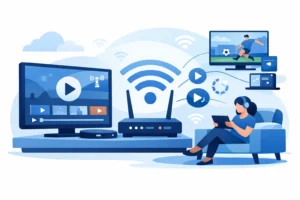
In simple terms, it is the control center. It verifies your device, loads your package, displays your channel groups, and streams live TV, movies, and series through the portal interface. When you enter a portal address on a compatible device, that device is reaching out to the server for access and content.
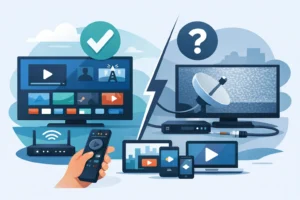
This matters because Stalker-based IPTV is different from a standard M3U playlist setup. With M3U, you usually import a playlist and an EPG into an app. With a Stalker portal, the server handles much more of the structure. That can make the experience feel cleaner and easier on supported devices, but it also means the server quality matters even more.
Why server quality matters more than channel count
A provider can advertise 20,000 channels, premium sports, and massive VOD libraries. That sounds good, but the real test is whether the server can deliver those streams consistently when demand spikes.
The most common failure point is live event traffic. If a service looks fine on a weekday afternoon but freezes during NHL, NFL, UFC, or playoff games, the issue is usually server capacity, poor load balancing, or weak stream sourcing. For North American viewers, especially sports fans, this is where good and bad IPTV services separate fast.
A strong Stalker IPTV server should handle authentication quickly, open channels without long loading delays, and keep playback stable across peak hours. It should also organize content properly. If channel groups are a mess, EPG data is missing, or regional channels disappear without warning, that points to poor backend management.
For Canadian users, server quality also affects local relevance. If you want Quebec channels, Canadian news, US sports networks, and international options in one package, the server has to support all of that without turning the interface into a slow, broken catalog.
How a Stalker IPTV server works on your device
The setup is usually straightforward. On a MAG box, Formuler box with STB support, or STB emulator app, you enter the portal URL. In many cases, the provider activates access using your device MAC address. Once approved, the portal loads your account package and available content.
From the user side, this is easy. That is one reason Stalker systems remain popular. They are plug-and-play compared with more manual playlist setups. For viewers who do not want to manage files, URLs, separate EPG sources, and app tweaks, a portal-based system can be more convenient.
The trade-off is less flexibility. With an M3U setup, you can often test different apps and customize how things look. With a Stalker portal, the server largely defines the experience. If the provider runs a polished system, that is a plus. If the provider runs a weak one, you feel the limitations immediately.
What to check before buying a Stalker IPTV server plan
If you are shopping for a service that uses Stalker or Ministra, do not buy based on price alone. Cheap service with poor uptime becomes expensive fast because you waste time troubleshooting, replacing apps, and missing the content you actually wanted.
Start with device compatibility. Some services work best on MAG devices and STB emulators. Others also support broader setups like Firestick, Android TV, Smart TVs, and mobile devices. If you use more than one screen at home, ask whether the plan supports multiple simultaneous connections or just one active stream.
Then look at activation speed. A good IPTV service should not make setup feel complicated. If the provider supports instant activation or fast onboarding, that is a practical advantage, especially for users who want to start watching the same day.
Support also matters more than people think. Stalker-based services depend on the correct portal, proper MAC activation, and compatible app settings. If anything is off, you need fast help, not a delayed reply two days later. For a paid service, responsive support is part of the product.
Finally, ask about stream stability during peak hours. This is where experienced providers stand out. Anti-freeze optimization, stable routing, and consistent sports performance matter much more than inflated channel claims.
Stalker IPTV server vs M3U: which is better?
It depends on what kind of user you are.
If you want simple setup, a TV-like interface, and straightforward portal login on a box or emulator, a Stalker IPTV server can be the better option. It is especially useful for households that want a familiar layout and do not want to manage playlists manually.
If you want maximum app choice and more control over how you organize channels, M3U may be better. Power users often prefer it because it works across a wider range of apps and devices.
For many buyers, the real answer is not one or the other. It is whether the provider supports the device you already use and whether the streams stay stable when it counts. A good service can make either format work well. A bad service can ruin both.
Why North American viewers should pay attention to the backend
A lot of IPTV buyers focus on front-end promises: HD, 4K, sports, movies, every channel, every app. Those are selling points, but the backend determines whether those promises hold up.
For viewers in Canada and across North America, the pressure points are predictable. Prime-time sports, bilingual or multicultural channel access, regional content, and multiple devices in one home all put stress on a server. If the provider has weak infrastructure, buffering starts, channels vanish, and the service becomes frustrating.
That is why serious buyers should think beyond the trial screen. A clean portal means little if uptime is inconsistent. The better move is to choose a provider that treats infrastructure as a core feature, not an afterthought.
Signs you are dealing with a weak Stalker IPTV server
You do not need technical expertise to spot server problems. The warning signs are obvious once you know what to look for.
If channels take too long to open, the portal times out often, the guide data is incomplete, or streams fail during major events, the backend is likely underpowered or poorly maintained. Frequent reauthorizations, random category changes, and unstable VOD loading are also bad signs.
Another red flag is when the provider blames every issue on your internet, even when the pattern is clearly server-side. If your other streaming apps work fine but live IPTV fails repeatedly at peak times, the issue is probably not your connection.
What a strong provider should offer
A good Stalker IPTV service should feel fast, simple, and dependable. The setup should be easy. The portal should load without guesswork. Live TV should open quickly. Sports should stay watchable when demand spikes. The provider should also support the devices people actually use today, not just one outdated box.
For buyers who want a cable replacement, those basics matter more than marketing claims. If a service also offers broad channel coverage, 4K and HD options, updated movie and series libraries, and support for multiple devices, that is where the value becomes clear. PureVisionHD fits that practical model by focusing on instant activation, broad compatibility, strong sports coverage, and a setup process built for people who want to watch, not troubleshoot.
If you are comparing IPTV options and see support for a Stalker iptv server, do not treat it like technical jargon and move on. It tells you how the service is delivered, what devices it suits best, and how much the backend will shape your experience. The smarter question is not just how many channels you get. It is whether the server behind them is built to hold up when your household actually wants to watch.