Cable bills keep going up, but local TV is still where many viewers get news, weather, live sports, and regional coverage. So can you watch local channels online? Yes – but the right option depends on what you mean by local, where you live, and how much convenience you want.
For some people, local means ABC, CBS, NBC, FOX, PBS, or a nearby independent station. For others, it means regional news, French-language channels in Quebec, or city-specific coverage that big streaming apps often miss. That’s where the answer gets more practical than simple. You can watch local channels online, but the method matters.
Can You Watch Local Channels Online Without Cable?
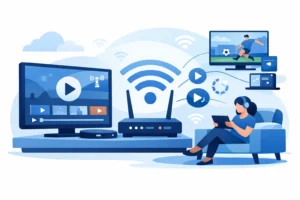
Yes, and there are several ways to do it. The most common options are network apps, live TV streaming services, over-the-air antennas paired with online devices, and IPTV services that bundle local channels with national and premium content.
The easiest route for many viewers is a live TV service. These platforms try to replace cable by offering channel lineups that may include local affiliates based on your ZIP code. That sounds simple, but availability can vary by market. One city might get all major locals, while another gets only a few. Sports blackouts, regional rights, and local affiliate agreements can also change what you actually see.
Network apps are another option. Some stations let you stream local news clips or live broadcasts through their own app or website. That works best if your main goal is catching the evening news or weather updates. It is less reliable if you want every local channel in one place, or if you expect full-time access to all live programming.
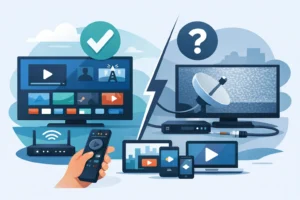
An antenna still plays a role too. It is not an online solution by itself, but many households use an HD antenna together with a smart TV or streaming setup. That gives you free local channels over the air while online apps cover everything else. It is low-cost, but reception depends on location, signal strength, and the hardware you use.
The Fastest Ways to Watch Local Channels Online
If you want local channels without messing around with multiple apps, there are really two practical paths. You either choose a mainstream live TV platform with local station support, or you use a broader IPTV setup that combines local, national, sports, and entertainment channels in one subscription.
Mainstream live TV services are familiar and polished, but they can get expensive fast. Once you add sports packages, premium content, or multiple screens, the monthly total often starts looking a lot like cable again. Channel availability can also feel fragmented. You may get some locals, but not all the stations that matter to your household.
IPTV appeals to viewers who want one app, more channel volume, and less subscription stacking. That is especially relevant if you want local channels alongside sports, movies, international programming, and on-demand content. For Canadian and North American viewers, this approach often makes more sense than paying separately for local TV, sports apps, movie services, and specialty add-ons.
That is why many cord-cutters move toward a service built for volume and convenience. A provider like PureVisionHD is designed around instant activation, broad device support, and one place to watch live TV, including local and regional options that matter to viewers who are tired of piecing everything together.
What “Local” Really Means Online
This is where buyers make mistakes. They assume local channels online will work the same everywhere. They do not.
In the US, local access usually refers to major broadcast affiliates in your area. In Canada, it may include provincial news, multicultural programming, or Quebec-specific channels that are harder to find on standard US-focused streaming platforms. If you are in a bilingual home or want region-specific programming, you need to check whether the service actually supports those channels instead of just advertising “live TV.”
Some platforms offer local coverage only in major metro areas. Others provide partial local feeds, but not the exact station you watch on cable. And some apps focus more on national content, leaving local viewers to fill the gap themselves. So yes, you can watch local channels online, but not every service solves the same problem.
Best Devices for Watching Local Channels Online
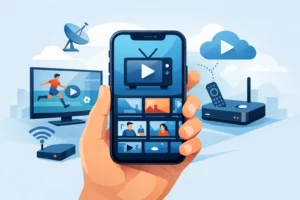
The good news is that device support is no longer the hard part. Most people watch on Firestick, Android TV, smart TVs, phones, tablets, or IPTV boxes. If the service is built well, setup takes minutes, not hours.
For viewers who want the least friction, dedicated IPTV boxes and STB-compatible devices are often the cleanest choice. They are built for live channel navigation, remote-friendly use, and stable playback. Smart TVs are convenient too, but app performance can vary by brand and model. Phones and tablets are great for quick access, though they are usually a secondary screen, not the main living room setup.
If you care about reliability, device compatibility matters just as much as channel count. A huge lineup means less if the app feels clunky or buffers during live sports. The better services focus on stable streams, simple login, and support that actually helps when you need setup guidance.
What to Expect on Price
Watching local channels online can be free, cheap, or almost as expensive as cable. It depends on the route you choose.
Free options exist through antennas and some local station apps, but they are limited. They usually work best for basic news and major broadcast access, not for a full replacement of cable.
Paid live TV services are more complete, but monthly costs often rise with extra features like cloud DVR, more simultaneous streams, and sports coverage. If your household wants local channels plus NFL, NBA, NHL, movies, kids content, and international channels, the total can climb quickly across multiple subscriptions.
That is why bundled IPTV keeps gaining traction. Instead of paying for local access here, sports there, and on-demand content somewhere else, viewers get a more consolidated package. For budget-conscious households, that trade-off is hard to ignore.
The Trade-Offs You Should Know
No option is perfect. Antennas are inexpensive but depend on reception. Mainstream streaming apps are easy to use but often fragmented and costly. Free local apps help with news, but rarely cover everything. IPTV offers breadth and flexibility, but service quality depends heavily on the provider.
That means the real question is not only can you watch local channels online. It is how much hassle are you willing to accept.
If you only need your local morning news and a few weekend broadcasts, a simple app or antenna may be enough. If you want local channels as part of a true cable replacement, you need broader live TV coverage, dependable stream quality, and support for the devices you already use.
This matters even more for sports fans. Many people start looking for local channels online because local affiliates still carry major games, pregame coverage, and regional broadcasts. If the stream is unstable or the channel lineup is incomplete, the whole setup stops feeling like an upgrade.
How to Choose the Right Service
Start with your must-haves. Do you need specific local stations, or just general local coverage? Do you need US networks, Canadian channels, Quebec content, or all of the above? Will you watch mostly on a smart TV, or do you want support across phones, tablets, and streaming boxes?
Then look at the bigger picture. Channel count matters, but so do stream quality, activation speed, and customer support. If you are replacing cable, you want something that works right away and does not make you chase down five separate subscriptions.
It is also smart to think about your household, not just yourself. A single viewer may be fine with one device and a basic app. A family usually needs multiple screens, a broader lineup, and stable performance during peak hours. The best setup is the one that matches how people actually watch.
So, Can You Watch Local Channels Online?
Absolutely. You can do it through local station apps, live TV streaming platforms, antenna-supported setups, or IPTV services that bring local and premium content together. The best choice depends on whether you want basic access or a full cable alternative.
If your goal is simple, free local news, keep it simple. If your goal is replacing cable without losing local channels, sports, and regional relevance, choose a service built for all-in-one viewing instead of piecing together apps every month.
The smartest move is to stop asking whether it is possible and start asking which setup gives you the most local access with the least hassle.