Cable bills usually start with one number and end with another. Add sports packages, box rentals, regional fees, and extra room charges, and suddenly your “simple” TV plan is not simple at all. If you’re looking up how to replace cable with IPTV, you’re probably past the point of comparing promos and ready for a setup that gives you more channels, more flexibility, and fewer monthly surprises.
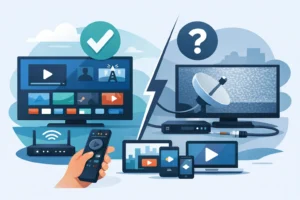
IPTV gives you television through your internet connection instead of through a traditional cable line. That sounds like a small change, but for most households it changes everything. You can watch live TV, sports, movies, and series across multiple devices without being tied to one provider box in one room. For viewers in the US and Canada, especially sports fans and families who want local channels, premium content, and easier access across screens, IPTV is often the cleaner option.
How to replace cable with IPTV without making it complicated
The fastest way to switch is to treat this like a service replacement, not a tech project. You do not need to rebuild your home entertainment setup. In most cases, you just need a stable internet connection, a compatible device, and an IPTV subscription that matches what you actually watch.
Start with your current cable habits. If your household mainly watches live sports, news, local channels, and a mix of on-demand movies and series, IPTV is usually a strong fit. If you rely heavily on niche add-on cable networks or use DVR in a very specific way, you should check how your new setup handles catch-up, replay, or recording support before you cancel anything.
The goal is simple: replace your cable bundle with one service that covers your main viewing needs and works on the screens you already own.
Step 1: Check your internet before you cancel cable
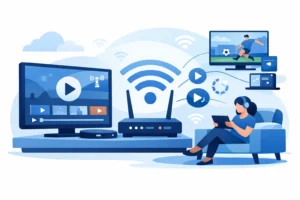
This is the part people skip, then blame the service. IPTV depends on internet quality, so your connection matters more than it did with cable. For one HD stream, a solid broadband connection is usually enough. For multiple users, 4K viewing, or heavy evening usage, you need more headroom.
Speed matters, but consistency matters just as much. If your internet drops during peak hours or your Wi-Fi struggles at the far end of the house, fix that first. A better router, wired connection, or mesh setup can make a bigger difference than upgrading to an oversized plan.
If your current cable package bundles internet and TV, check what your internet-only price will be before switching. Sometimes the savings are immediate. Sometimes the math only works if you choose the right IPTV plan and avoid stacking too many extra subscriptions on top.
Step 2: Pick the device that fits your setup
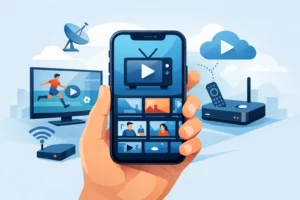
One reason IPTV is replacing cable for so many households is device flexibility. You are not forced into a rented box for every room. IPTV can run on Firestick, Android TV, smart TVs, phones, tablets, and dedicated IPTV boxes.
If you want the closest thing to a cable-style experience, a dedicated IPTV box or a quality Android-based streaming device usually feels best. The interface is cleaner, navigation is faster, and remote control use is easier for everyday viewing. If you just want a low-cost starting point, a Firestick or smart TV app may be enough.
This is where it depends on the household. A single viewer can get away with a lightweight setup. A family with sports in one room, kids’ content in another, and movies in the bedroom should think about multi-device support from day one.
What to look for in an IPTV service
Not all IPTV services are built the same. The cheapest option is not always the best replacement for cable, especially if you care about reliability during live sports or want a wide channel lineup that actually loads when you need it.
Look at channel volume, but do not stop there. A large catalog sounds great, but quality control matters more than inflated numbers. You want a service that delivers stable live TV, current movie and series libraries, strong sports coverage, and support for the devices you already use.
For North American viewers, local relevance matters too. If your household wants US channels, Canadian content, regional sports, and possibly Quebec-focused programming, make sure the package reflects real viewing habits instead of generic global volume.
Stream quality and uptime matter more than marketing claims
Every provider says they offer HD or 4K. The real question is whether streams stay stable during busy hours. Sports fans know this better than anyone. A service that buffers during a playoff game is not replacing cable. It is creating a new problem.
Look for providers that emphasize anti-freeze performance, fast activation, and active support. When a service is built around reliability, the difference shows up in daily use. PureVisionHD, for example, positions itself around instant activation, broad compatibility, and stable access for viewers who want a low-friction cable replacement.
Support is part of the product
Traditional cable companies sell support like a privilege. Good IPTV providers treat support as part of the service. That matters when you’re setting up a new app, activating on a second device, or troubleshooting router settings.
If a provider is hard to reach before you subscribe, expect the same after payment. Fast responses, setup guidance, and 24/7 availability are not bonus features. They are part of what makes IPTV practical for everyday users.
How to replace cable with IPTV and keep the channels you care about
The biggest fear people have when cutting cable is losing access to the channels they actually watch. That fear is fair. Replacing cable only works if your new setup covers the essentials.
Make a short list before you switch. Include local channels, major sports networks, entertainment channels, kids’ content, and any language-specific or regional programming your home uses regularly. Once you know your must-haves, compare them against the IPTV plan instead of getting distracted by the total number of channels.
This is especially important for multicultural households and sports-heavy homes. A service may offer thousands of channels, but your decision should come down to whether it handles NFL Sundays, NHL nights, fight cards, local news, and family viewing without forcing you back into extra subscriptions.
Sports is where IPTV can beat cable on value
Cable often turns sports into an upsell trap. Base package, premium package, regional sports add-on, equipment fee. IPTV can be a better value because sports access is often included in broader channel packages instead of separated into layers.
That does not mean every service handles sports equally well. You want full event coverage, strong uptime during peak demand, and fast switching between live channels. If sports are a priority, test that first.
The real costs of switching
People usually switch because of price, but the cheapest monthly number is not the whole story. You should factor in internet-only service, your streaming device, and whether you need one connection or multiple simultaneous streams.
Even then, IPTV often wins on flexibility. No long installation window. No truck roll. No extra receiver rental in every room. No paying more just because someone in the house wants to watch on a tablet instead of the living room TV.
The smartest move is to build a setup around actual usage. If two people watch at the same time, get a two-device plan. If your home uses three or four screens regularly, choose a package that supports that without workarounds. Paying for the right plan upfront is cheaper than dealing with viewing conflicts later.
Common mistakes when replacing cable with IPTV
The biggest mistake is canceling cable before testing your IPTV setup on your real internet connection and preferred device. A short trial period or test phase can save frustration.
The second mistake is relying on weak Wi-Fi. IPTV is only as smooth as the network behind it. If your picture quality drops in one room, the issue may be your home setup, not the stream itself.
The third mistake is choosing based only on price. Cheap service with weak support and unstable streams usually ends up costing more in wasted time and replacement shopping.
Is IPTV right for every household?
Not always. If your home has very poor internet or you want a traditional provider to manage every piece of hardware and support through one bundled contract, cable may still feel simpler. Some users also prefer the familiarity of a legacy remote and channel grid with no learning curve at all.
But for most viewers who want more content, lower monthly costs, better sports access, and more freedom across devices, IPTV is the more practical choice. It removes a lot of the old cable friction without asking you to become a tech expert.
If you’re serious about how to replace cable with IPTV, the best move is to keep it simple: verify your internet, choose the right device, focus on the channels you actually watch, and pick a provider built for stable everyday viewing. A good setup should feel faster, easier, and more useful from the first night you turn it on.