If your picture keeps dropping from sharp 4K to something that looks barely HD during the biggest play of the game, the problem usually is not 4K itself. It is the setup behind it. Knowing how to stream live TV in 4K comes down to three things: enough speed, the right hardware, and a provider that can actually deliver stable high-bitrate streams when demand spikes.
That matters more with live TV than on-demand content. A movie app can buffer ahead. Live sports, news, and event channels do not have that luxury. If you want clean motion, strong detail, and fewer interruptions, every part of the chain has to be ready.
How to stream live TV in 4K the right way
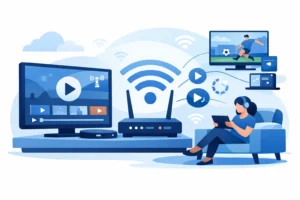
Start with your internet connection. For one 4K live stream, a practical target is at least 25 Mbps of real, stable download speed available to that device. If your household has multiple TVs, phones, game consoles, or background downloads running at the same time, you need more headroom. A plan that looks fast on paper can still struggle if the signal is inconsistent, especially on busy evenings.
Wired Ethernet is usually better than Wi-Fi for 4K live TV. Wi-Fi can work well, but it depends on your router, distance from the TV, wall interference, and how many devices are connected. If your stream freezes or drops resolution at random, test the same channel over Ethernet. That single change fixes a lot of so-called provider issues.
Your streaming device matters just as much. Not every smart TV app handles high-bitrate live channels well, and older sticks often bottleneck 4K playback. A newer Fire TV device, Android TV box, or IPTV-focused box with solid decoding support will usually perform better than outdated built-in TV software. If you are using a budget device from years ago, upgrading the box can make a bigger difference than upgrading your internet package.
Then there is the provider side. This is where many viewers get burned. Some services advertise 4K, but they offer only a handful of unstable channels, overloaded servers, or poorly maintained feeds. For live TV in 4K, consistency matters more than a flashy promise. Sports fans, especially, need a service built for peak traffic and fast channel switching.
What you actually need for 4K live TV
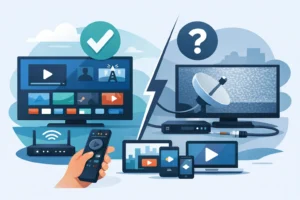
The basic formula is simple. You need a 4K-capable TV, a device that supports 4K output, internet speed that stays strong during prime time, and a service that carries real 4K or high-quality UHD-compatible live feeds. Miss one of those pieces and the experience falls apart.
A lot of people assume their TV is enough. It is not. A 4K television can only show what the source sends it. If the channel is 720p, that is what you get. If the app on your TV is underpowered, it may struggle even if the panel itself is excellent. The cleanest setup usually combines a good display with a reliable external streaming device.
You also need to check your settings. Some devices default to automatic resolution, which can cause odd switching behavior. Others need HDMI settings adjusted for full 4K output. If you are not seeing the picture quality you expect, confirm that the box is outputting 2160p and that your TV input supports it.
Internet speed is only half the story
Speed tests are useful, but they can be misleading. You might test at 300 Mbps on your phone next to the router and still have problems on the TV in another room. What matters is the speed at the device you actually use, at the time you actually watch.
Latency, congestion, and router quality also affect live playback. A weak ISP router can become a choke point in a busy home. So can network clutter from downloads, cloud backups, and gaming traffic. If your 4K stream fails mainly at night, that points to household congestion or neighborhood ISP load, not necessarily the streaming service itself.
For homes that watch a lot of sports or use multiple streams at once, a better router is often worth it. Not because it magically creates speed, but because it manages devices more effectively and holds a stronger signal across rooms. It is one of the least exciting upgrades and one of the most effective.
Best devices for streaming live TV in 4K
There is no single best device for every viewer. It depends on whether you want plug-and-play convenience, app flexibility, or an IPTV-focused setup.
For casual users, modern streaming sticks and mainstream TV platforms are enough if the app support is solid. They are affordable, familiar, and easy to install. For heavier users who want faster navigation, better codec support, and more control, dedicated Android boxes and STB-style devices are usually stronger options. This is especially true if you watch a lot of live sports, use playlists or portals, or switch between channels constantly.
Some viewers prefer IPTV-specific hardware because it is built around this use case. Devices in the Formuler and similar category are popular for a reason. They tend to offer smoother channel management, better playback stability, and a more TV-like experience than generic app ecosystems. That does not mean everyone needs one. But if you are serious about replacing cable and you want 4K live TV to feel dependable, specialized hardware is worth considering.
Why provider quality decides everything
This is the part most setup guides skip. You can have fast internet and a great device and still get mediocre results if the source is weak. Live TV in 4K pushes more data, and weak infrastructure shows up fast through buffering, lag, and channels that fail at the worst time.
A quality IPTV provider should offer stable servers, good uptime, broad device compatibility, and support that actually responds when something breaks. Anti-freeze optimization matters too, especially for live events. If a service works fine on a random weekday but collapses during UFC, NFL, NBA, or NHL traffic, it is not built for serious live viewing.
This is where a provider like PureVisionHD fits naturally for viewers who want cable-style convenience without the cable bill. The value is not just channel count. It is the mix of instant activation, 4K-ready viewing, sports depth, local relevance, and support across the devices people already use.
Common reasons 4K live TV buffers
Most buffering problems come from one of five places: weak Wi-Fi, underpowered devices, overloaded home networks, poor provider infrastructure, or unrealistic expectations about the source. Not every live channel is true native 4K. Some are upscaled, some vary by event, and some look excellent without technically being full 4K. The label matters less than the actual picture quality and stability on screen.
You should also watch for app issues. Clearing cache, updating the app, or restarting the device can help when playback starts acting up after weeks of use. It sounds basic because it is basic, but cluttered apps and aging firmware create a lot of preventable problems.
If you want a quick diagnostic path, test one known high-quality channel on Ethernet, with no heavy household traffic, on a current device. If that works smoothly, the problem is likely your local setup. If it still struggles, the provider or source feed deserves a closer look.
Is 4K live TV worth it?
For sports, major live events, nature channels, and premium movie content, yes. The jump is most noticeable on larger screens where motion detail and sharpness matter. On a smaller bedroom TV, the difference may feel minor. On a big living room screen during a live game, it is easier to appreciate.
There is a trade-off, though. 4K demands more from your internet, your device, and your provider. If your setup is borderline, a very stable HD stream can look better in practice than a 4K stream that stutters. The goal is not chasing the label. The goal is getting the best consistent picture your setup can support.
The smartest way to set up 4K live TV at home
Keep it simple. Use a modern 4K-capable device. Put it on Ethernet if possible. Make sure your internet package has real headroom for evening use. Choose a provider with stable performance during live sports and busy viewing hours. Then test your setup before game night, not during it.
That is really what separates a frustrating experience from a cable replacement that actually feels like an upgrade. When the stream starts fast, the picture stays sharp, and your channels load without drama, 4K live TV stops feeling technical and starts feeling normal. That is the point.