A last-minute goal, a UFC knockout, or a dark movie scene can expose every weakness in a stream. When the picture turns soft, blocky, or overly dark on a large TV, the question becomes simple: is 4k streaming worth it for the way you actually watch?
For many households, it is – but 4K is not an automatic upgrade for every screen, connection, or channel. The best value comes from matching your TV, internet speed, and viewing habits to the quality you are paying for. If you mostly watch local news on a smaller screen, HD may still be the smart choice. If your home revolves around live sports, movie nights, and a 55-inch-or-larger TV, 4K can make a visible difference.
Is 4K Streaming Worth It for Your Setup?
4K streaming delivers a picture with four times the pixel count of standard 1080p HD. That extra detail can make grass on a football field look more natural, crowd shots look clearer, and movies show more texture in faces, costumes, and scenery. On the right display, it is not just a sharper image. It is a more convincing one.
The catch is that pixels are only one part of the experience. A true 4K stream also depends on bitrate, video compression, HDR support, the quality of the source, and your internet connection. A poorly compressed 4K feed can look worse than a clean, high-bitrate HD feed. That is why the service behind the stream matters as much as the 4K label.
4K is usually worth the upgrade when you have a modern 4K TV, sit close enough to see the detail, and regularly watch content that is actually delivered in 4K. It is less essential when the screen is small, the viewing distance is long, or most of your preferred live channels are produced in HD.
What You Need Before Paying for 4K
A 4K plan cannot compensate for an outdated display or unstable home network. Before making 4K a priority, check the basics.
A TV That Can Show the Difference
A 4K TV is the starting point, but screen size and seating distance affect what your eyes can notice. On a 43-inch TV across a large room, the jump from HD to 4K may be subtle. On a 55-inch, 65-inch, or larger screen at a normal living-room distance, fine detail is easier to see.
HDR also matters. High Dynamic Range improves brightness, contrast, and color range when the TV and stream both support it. For sports, HDR can help daylight stadium shots look cleaner and richer. For movies and series, it makes shadow detail and bright highlights feel more realistic. A basic 4K TV without strong brightness or HDR performance may not look as impressive as its resolution suggests.
Internet Speed With Room to Spare
For one reliable 4K stream, plan for at least 25 Mbps of real, consistent download speed. More is better if other people in your home are gaming, video calling, downloading files, or streaming on additional devices at the same time.
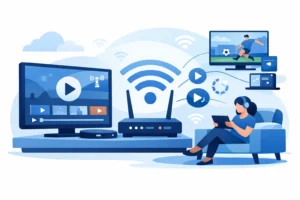
Your advertised internet speed is not always the speed your streaming device receives. Wi-Fi signal strength, router placement, busy evenings, and older equipment can all reduce performance. If your 4K stream pauses, drops quality, or freezes during a major game, test your connection near the TV. A wired Ethernet connection is often the easiest improvement for fixed setups such as smart TVs, streaming boxes, and IPTV devices.
A Device Built for 4K Playback
Not every streaming stick, TV app, or IPTV box handles 4K the same way. Your device should support 4K output, modern video codecs, and a stable network connection. It should also have enough processing power to switch channels, load guides, and play live content without lag.
This is where plug-and-play hardware can be useful. A dedicated streaming box may provide better Wi-Fi reception, faster menus, and more consistent playback than an older smart TV app. If you use a Fire TV device, Android TV box, Formuler box, or another compatible setup, confirm that it is configured to output 4K rather than being limited to 1080p.
4K for Sports: Where It Makes the Biggest Impact
Sports are one of the strongest reasons to choose 4K streaming. Fast movement exposes compression quickly. In lower-quality streams, you may see blur around a hockey puck, blocks of color in the crowd, or smearing across the field during a quick camera pan. Better 4K delivery gives the picture more detail to work with.
The difference is especially noticeable with football, basketball, soccer, hockey, motorsports, and combat sports. A larger screen makes it easier to follow the action without feeling like the picture falls apart during fast plays. If you are building your viewing setup around NFL Sundays, NBA matchups, NHL games, or UFC events, 4K capability is a worthwhile feature to have.
Still, do not assume every game is native 4K. Many live broadcasts remain 720p or 1080p, while some services upscale the source. Upscaling can look good, especially on a quality TV, but it is not the same as a true native 4K feed. The practical benefit is having access to higher-quality options when they are available, along with a service that maintains a strong HD picture for everything else.
Movies and Series Can Look Even Better in 4K
Movies and premium series often benefit more consistently from 4K than live television. They are produced with controlled lighting, cinematic detail, and carefully graded color. A good 4K HDR presentation can reveal texture in a dark thriller, depth in a nature documentary, or fine detail in a big action sequence that HD smooths over.
This matters most for viewers who have stopped buying discs and want their streaming library to look as close to premium home theater quality as possible. If movie night is a regular part of your week, 4K is easier to justify than if you primarily use TV for background viewing.
Content availability remains the deciding factor. A large library is valuable, but image quality should be evaluated title by title. Look for clear 4K labeling, stable playback, and reliable source quality rather than assuming every movie or series will be delivered at the same level.
When HD Is the Better Value
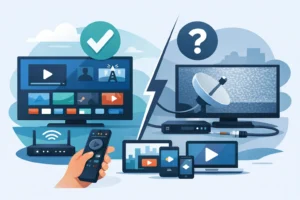
HD is not outdated. A clean 1080p stream can look excellent, particularly on a smaller TV or when you are seated farther away. It also uses less data, puts less strain on your Wi-Fi, and may be more dependable in homes with several active users.
Choose HD first if your internet speed is limited, your router struggles with multiple devices, or you watch mostly live channels that are not offered in native 4K. You may get more day-to-day satisfaction from improving network stability than from paying for resolution your current setup cannot fully use.
HD is also the practical answer for secondary screens. A bedroom TV, kitchen display, tablet, or travel device does not always need the bandwidth and processing requirements of 4K. Save the premium picture quality for the main screen where it will be noticed.
Do Not Confuse Resolution With Stream Reliability
A sharp picture is useless if it freezes during overtime. For live TV viewers, reliability should come before a resolution badge. A strong streaming experience requires dependable servers, sensible device support, sufficient bandwidth, and responsive support when something needs attention.
When comparing IPTV options, look beyond channel counts. Confirm which devices are supported, whether multi-device viewing affects performance, how quickly activation happens, and whether the provider offers help when setup questions come up. A service such as PureVisionHD should be judged on the complete viewing experience: channel access, sports availability, consistent HD and 4K delivery where offered, and compatibility with the devices already in your home.
It is also smart to use authorized services and content sources available in your area. That protects the quality of your viewing experience and helps ensure you are getting the channels and events you expect.
Make the Upgrade Where You Will Feel It
The best approach is simple: prioritize a quality 4K setup for the TV where your household watches sports, movies, and major events. Use a stable internet connection, a capable device, and a provider that treats reliability as seriously as picture quality. Keep HD for smaller screens and everyday viewing.
4K should make watching easier to enjoy, not harder to manage. If your main screen, connection, and content choices are ready for it, the upgrade delivers a clearer reason to stay home for the big game.