
If you’re paying $100 or more each month for a satellite TV package that still doesn’t carry the international channels your family watches or the sports leagues you care about, you’re not alone. Millions of Canadian households are actively switching satellite TV to IPTV for exactly these reasons: lower costs, broader content libraries, and the freedom to watch on any device. This guide walks you through every practical step, from assessing your current setup to testing your first live NHL game on your new IPTV service, so you can make the switch with confidence and zero downtime.
Table of Contents
- Assess your current setup and what you need to switch
- Choose a licensed and legal IPTV service in Canada
- Prepare your home network and devices for IPTV streaming
- Execute the switch: subscribing and setting up IPTV alongside your satellite
- Verify and optimize your IPTV viewing experience
- Why a staged transition from satellite to IPTV is key for Canadian households
- Explore PureVisionHD for affordable, high-quality IPTV in Canada
- Frequently asked questions
Key Takeaways
| Point | Details |
|---|---|
| Understand your needs | Assess your current satellite usage, channel preferences, and internet capability before switching to IPTV. |
| Choose legal IPTV | Pick a licensed IPTV provider compliant with Canadian broadcasting and copyright laws to avoid legal issues. |
| Optimize your network | Use wired connections and ensure sufficient internet speed for HD or 4K streaming to prevent buffering. |
| Stage your switch | Set up IPTV alongside your satellite service, verify everything works, then cancel satellite to avoid service gaps. |
| Use compatible devices | Select streaming devices like Roku or Android TV boxes that support IPTV apps for the best experience. |
Assess your current setup and what you need to switch
Switching satellite TV to IPTV starts with an honest look at what you’re currently using and what you actually need. Most households carry channel packages loaded with content they never watch. Before you sign up for anything new, list the channels your household considers non-negotiable. For sports fans, that means confirming coverage of NHL, NBA, UFC, and regional sports networks. For families with international roots, it means verifying which language packages are available.
Next, count your simultaneous viewers. A family of four where two people stream in 4K while two watch HD in separate rooms needs significantly more bandwidth than a single viewer. For households planning to switch from satellite to IPTV in 2026, a practical bandwidth target is at least 10 Mbps for HD streams and 25+ Mbps for 4K per stream, multiplied by simultaneous streams.
Here’s a quick reference table to estimate your household’s minimum internet speed needs:
| Viewing scenario | Minimum speed needed | Recommended speed |
|---|---|---|
| 1 viewer, HD | 10 Mbps | 20 Mbps |
| 1 viewer, 4K | 25 Mbps | 50 Mbps |
| 2 viewers, HD | 20 Mbps | 40 Mbps |
| 3 viewers, mixed HD/4K | 45 Mbps | 80 Mbps |
| 4 viewers, mixed HD/4K | 60 Mbps | 100 Mbps |
Also check which devices you already own that can run IPTV apps:
- Smart TVs (Samsung, LG, Sony) with built-in app stores
- Amazon Fire TV Stick (one of the most popular IPTV-compatible devices in Canada)
- Android TV boxes offering full app flexibility
- Smartphones and tablets for mobile viewing
- PCs and laptops via browser or dedicated IPTV software
If you’re managing multiple viewers, check out IPTV subscription plans with device limits to match your household size, or consider annual IPTV packages for better long-term value.
Choose a licensed and legal IPTV service in Canada
With your needs identified, knowing how to pick a legal IPTV service is critical to make the switch safely. IPTV itself is a content delivery technology, not inherently legal or illegal. What matters is whether the provider holds proper licensing rights for the content they distribute.
In Canada, IPTV legality depends on using licensed services with proper content licensing and redistribution rights that comply with CRTC and broadcasting regulations. This distinction matters enormously. Unauthorized IPTV services may offer thousands of channels at suspiciously low prices, but they carry real risks: sudden service shutdowns, no customer support, and potential legal exposure for the subscriber.
A word of caution: Canadian enforcement actions against unauthorized IPTV services have increased significantly. Providers operating without proper licensing face takedowns, and subscribers can lose access without warning, often right before a major game or season finale.
When evaluating any IPTV provider, look for these factors:
- Transparent content licensing and clear terms of service
- Compliance with CRTC broadcasting rules for Canadian distribution
- Verifiable customer support with accessible contact options
- Consistent uptime guarantees backed by anti-freeze or buffering protection technology
- Clear refund or trial policies so you can test the service before committing
Choosing legal IPTV subscriptions in Canada protects your household from disruption and ensures the provider has a real stake in maintaining service quality. You can also review a trusted IPTV provider overview to understand what a compliant, well-structured service looks like before making a decision.
Prepare your home network and devices for IPTV streaming
After selecting a legal IPTV service, ensuring your home network and devices are ready is essential for smooth streaming. This step is where most households run into trouble, not because IPTV is complicated, but because they skip the preparation.
Follow these steps in order:
- Run a speed test at the location of your primary streaming device using a service like Fast.com or Speedtest.net. Compare results against the table in the previous section.
- Upgrade your internet plan if your current speeds fall below recommended levels for your household’s simultaneous streams. Most Canadian ISPs offer plans in the 150 to 500 Mbps range that handle IPTV comfortably.
- Connect your primary streaming device via wired ethernet whenever possible. A wired ethernet connection is always preferable to Wi-Fi for IPTV streaming to reduce buffering and interference.
- Choose your streaming devices based on your household’s preferences. Android TV boxes offer the most flexibility for IPTV apps, while Fire TV Sticks are widely available and easy to configure.
- Limit background downloads and updates on other devices during peak viewing hours. A large update downloading on a PC can eat 20 to 30 Mbps and visibly degrade your IPTV stream quality.
- Enable hardware decoding in your IPTV app settings. This offloads video processing to your device’s graphics chip, reducing buffering and improving playback on 4K content.
- Clear adequate storage on your streaming device for app cache and EPG (Electronic Program Guide) data, which updates regularly.
Pro Tip: If your router is more than four years old, consider upgrading to a Wi-Fi 6 model. Older routers struggle to prioritize IPTV traffic when multiple devices compete for bandwidth simultaneously.
Browse recommended IPTV streaming devices to find hardware that’s already tested and optimized for IPTV performance in Canadian homes.
Execute the switch: subscribing and setting up IPTV alongside your satellite
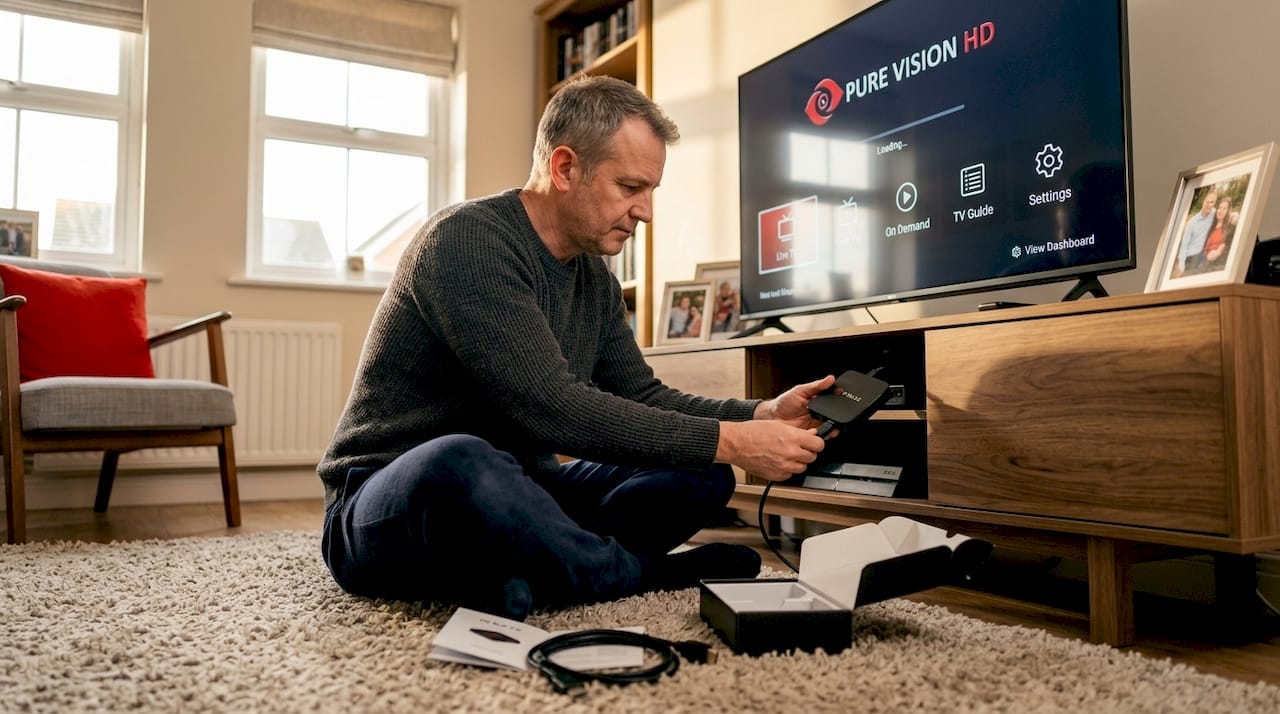
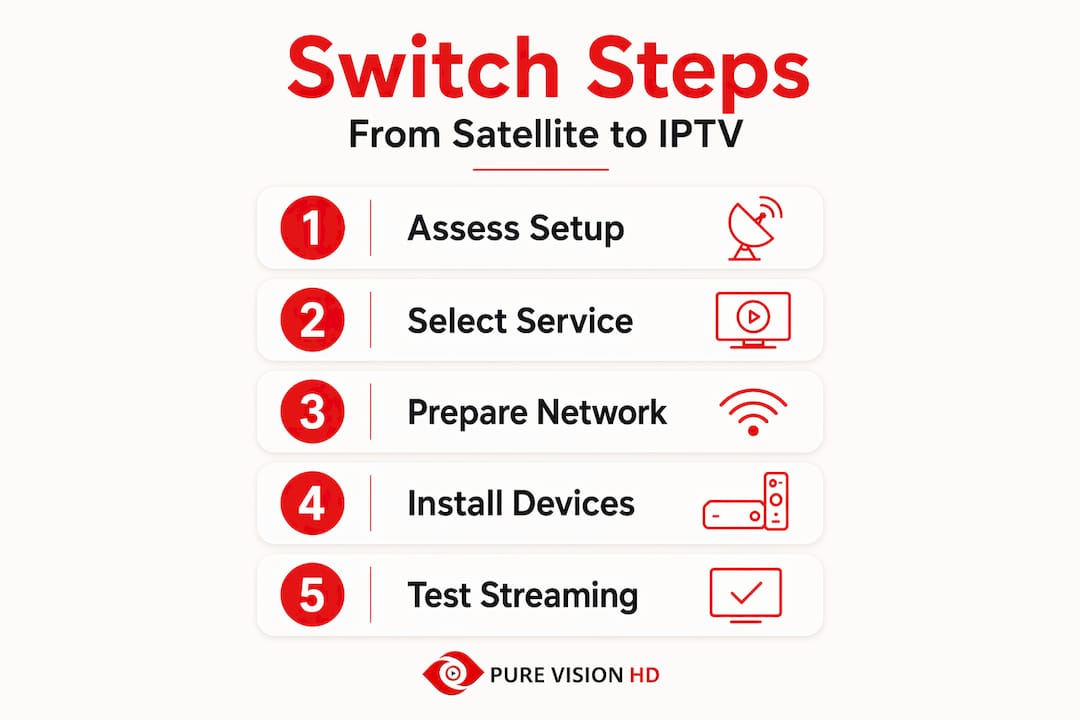
Now that your equipment is ready, here’s how to actually subscribe and set up IPTV alongside your current satellite service. The key word is “alongside.” Do not cancel your satellite subscription yet.
- Choose your IPTV subscription plan and confirm the provider’s legal credentials. Verify device limits, channel packages, and activation timelines before paying.
- Install the IPTV app on your streaming device following the provider’s setup instructions. Most providers supply an M3U playlist URL or a dedicated app available through the device’s app store.
- Keep your satellite TV active during the entire setup and testing period. This is non-negotiable if you’re a sports fan. Live events don’t wait for technical troubleshooting.
- Activate your channel packages and allow time for the process to complete. For reference, new programming activates within about 4 hours on major IPTV platforms, so plan accordingly and don’t expect instant access to every channel.
- Test your most critical channels first: your sports networks, international channels, and any premium content your household relies on daily.
Here’s a simple checklist to track your transition progress:
| Task | Status | Notes |
|---|---|---|
| Internet speed verified | ☐ | Compare against table above |
| Streaming device configured | ☐ | Wired connection preferred |
| IPTV subscription activated | ☐ | Allow up to 4 hours |
| Priority channels tested | ☐ | Sports, international, premium |
| Satellite cancellation scheduled | ☐ | Only after full testing |
Pro Tip: Subscribe to IPTV mid-month so you have two to three weeks of overlap with your satellite service. That window gives you enough time to test across multiple live events and on-demand sessions before committing to the full switch.
For tips on managing your subscription and adding devices over time, visit the IPTV subscription management tips section.
Verify and optimize your IPTV viewing experience
Having set up and begun using IPTV, the final step is to verify and optimize your new viewing experience. This is where you confirm that the switch actually delivers what satellite TV couldn’t.
Run a speed test directly on your streaming device, not just on your phone or laptop. Many households discover a significant speed gap between their router’s advertised speed and what actually reaches the TV room. Households should target recommended sustained speeds rather than minimum speeds to avoid buffering during peak usage times with multiple streams.
Key optimization steps:
- Adjust stream quality in your IPTV app based on your verified speed. If you’re consistently hitting 4K without buffering, great. If not, dropping to Full HD often eliminates the problem entirely.
- Switch to a 5 GHz Wi-Fi band if you can’t run ethernet. The 5 GHz band has less interference than 2.4 GHz and handles IPTV traffic more reliably in most homes.
- Check for IPTV app updates regularly. Providers push performance patches and EPG improvements that directly affect playback stability.
- Enable hardware acceleration in app settings if you haven’t already. This single setting often eliminates stuttering on 4K streams.
- Keep your satellite service active until you’ve watched at least two or three live sports events and several on-demand titles without issues.
Pro Tip: Test IPTV during a weekend evening when your neighborhood’s internet usage is at its peak. If it performs well then, it will perform well any time.
For households managing multiple simultaneous viewers, managing multiple device streaming resources can help you choose the right plan tier before you cancel satellite entirely.
Why a staged transition from satellite to IPTV is key for Canadian households
Here’s the honest truth that most switching guides skip: the biggest IPTV failures happen not because of bad service, but because of bad timing. Households cancel satellite on day one, run into an activation delay or a buffering issue, and suddenly have no TV during a playoff game. That’s entirely avoidable.
The staged approach, keeping both services running in parallel for two to four weeks, isn’t just a safety net. It’s the only way to accurately evaluate IPTV performance under real household conditions. You can’t judge a streaming service based on one afternoon of testing. You need to see how it handles a Saturday night with four devices active, a live UFC pay-per-view, and someone else downloading a software update in the background.
Major IPTV providers can take hours to activate new channel packages, making canceling satellite service prematurely risky for live sports fans. That’s not a flaw unique to any one provider. It’s simply how content activation works across the industry.
The Canadian regulatory environment actually supports this careful approach. Legal IPTV services operating under CRTC guidelines are accountable and stable, but even compliant providers need time to provision your account fully. Rushing the cutover doesn’t save you money. It just creates unnecessary stress.
Schedule your IPTV setup during a period when missing a day of TV wouldn’t be catastrophic. A Tuesday in October is a better setup day than a Saturday during NHL playoffs. Give yourself the runway to troubleshoot, adjust, and confirm before you make the call to transition to IPTV in Canada permanently.
Explore PureVisionHD for affordable, high-quality IPTV in Canada
If you’re ready to make the switch, PureVisionHD is built specifically for Canadian households who want a reliable, legal, and affordable alternative to satellite TV. With access to over 20,000 live channels in HD, Full HD, and 4K, including NHL, NBA, UFC, and a wide range of international content, it covers everything a sports fan or multicultural family needs.
PureVisionHD supports all major streaming devices, including Android TV boxes, Amazon Fire TV Stick, Smart TVs, and smartphones. The platform features anti-freeze technology for stable playback and 24/7 customer support to help you through setup and beyond. Explore the IPTV streaming devices at PureVisionHD to find hardware ready to go out of the box. When you’re ready to subscribe, review the available subscription plans at PureVisionHD to find the right device limit and pricing tier for your household. Start with a short-term plan, test thoroughly, then scale up.
Frequently asked questions
Is IPTV legal to use in Canada as a replacement for satellite TV?
Yes, IPTV is legal in Canada when the service provider holds proper licensing and operates under CRTC regulations. IPTV can be legal when delivered by licensed services with proper content licensing and CRTC compliance, ensuring content rights are respected.
How much internet speed do I need to switch from satellite to IPTV for HD and 4K streaming?
For HD streaming, aim for at least 10 Mbps per stream, with 20 Mbps recommended. For 4K, plan for 25 Mbps minimum and 50 Mbps recommended per stream. A practical bandwidth target is 10 Mbps for HD and 25+ Mbps for 4K per active stream, scaled up for multiple simultaneous viewers.
Can I cancel my satellite TV immediately after subscribing to IPTV?
It’s best to keep your satellite service active until your IPTV package is fully set up and tested across multiple viewing sessions. New programming changes on IPTV can take up to 4 hours to activate, so a staged switch avoids channel disruption during the transition.
What devices work best with IPTV services in Canadian homes?
Smart TVs, Amazon Fire TV Stick, Roku, and Android TV boxes offer the best IPTV app compatibility and overall performance. IPTV supports popular devices such as Roku, Fire TV Stick, and Android boxes, offering flexibility across home devices.
What can I do to prevent buffering when streaming IPTV with multiple viewers?
Use a wired ethernet connection where possible, upgrade to internet speeds above the minimum recommendation for your household, and limit background downloads during peak viewing hours. Target recommended sustained speeds and prefer wired connections over Wi-Fi to reduce buffering when multiple streams run simultaneously.