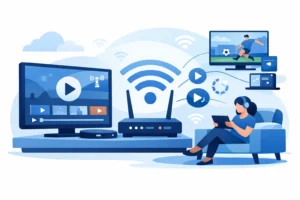
A cable bill can quietly become one of the biggest recurring charges in your home. The top ways to cut cable costs are not about giving up live TV or settling for weak streams. They are about removing equipment fees, duplicate subscriptions, and oversized channel packages while keeping the sports, local news, movies, and series you actually watch.
For many households, the goal is simple: one reliable setup, more viewing choices, and a monthly bill that makes sense. Start by looking at what you pay for now, then replace only the parts of cable that deliver real value.
Find the Costs Hidden Inside Your Cable Bill
The advertised cable price is rarely the price that stays on your statement. Taxes, broadcast TV fees, regional sports fees, receiver rentals, DVR charges, and extra outlet fees can push a basic package far beyond its original rate. Promotional pricing can also expire without much warning.
Pull up your last two or three bills and separate the service into categories. You may find that the channel package itself is only part of the problem. A household with multiple TVs can pay a surprising amount each month just to rent boxes and access the same channels in different rooms.
Before canceling anything, write down the content that matters most. Is it NFL Sundays, NBA games, local stations, French-language programming, kids’ channels, or a specific news network? This prevents a common mistake: replacing cable with a stack of apps that costs just as much and still does not include your must-watch channels.
Top Ways to Cut Cable Costs Without Losing What Matters
1. Stop paying for channels you never watch
Traditional packages are built around quantity, not relevance. You may be paying for hundreds of channels while regularly using fewer than 20. If your provider offers a smaller package without the add-ons, compare the real monthly total, including fees, before accepting another contract.
For viewers who want a broader live TV lineup without a telecom bundle, a quality IPTV service can be a practical alternative. The right service brings live channels, sports, movies, and series into one app-based setup instead of forcing you to rent hardware for every screen.
2. Replace rented boxes with devices you own
Monthly receiver rentals look small on their own, but they add up fast. A home with three rented cable boxes could pay hundreds of dollars per year before watching a single show.
Smart TVs, streaming sticks, Android devices, phones, tablets, and dedicated IPTV boxes can reduce that ongoing expense. Buy a device that fits your viewing habits once, then use it across the services you choose. If you prefer a traditional remote-control experience, compatible boxes such as Formuler or STB-style devices can make the switch feel familiar without the recurring cable equipment charge.
3. Choose a plan based on screens, not fear
Cable companies often encourage customers to add services “just in case.” The same thing can happen when people shop for streaming plans. Be honest about how many people in your home watch at the same time.
A one-device plan may be enough for a single viewer, while a family needs multiple simultaneous connections for the living room, bedroom, and mobile viewing. Paying for the right number of screens is smarter than paying for unlimited access you will never use. It also helps avoid stream interruptions caused by exceeding your plan’s device limit.
4. Reduce subscription overlap
One streaming app for original series can make sense. Five services with overlapping movies and shows often do not. The more platforms you add, the more likely you are to lose track of renewals and pay for content you have not opened in months.
Keep the services that offer something truly exclusive to your household. Pause or cancel the rest, especially during months when you are focused on live sports or seasonal programming. A consolidated live TV and on-demand setup can reduce the need to chase every new app release.
5. Keep your internet plan realistic
Cutting cable does not mean you should immediately upgrade to the most expensive internet package available. Your internet connection needs enough speed and stability for your household’s actual use, including video calls, gaming, work, and simultaneous streaming.
For many homes, a stable mid-tier connection is more useful than headline-level speed that costs extra each month. If streams buffer, first check Wi-Fi placement, router age, and the number of connected devices. Upgrading your router or using a wired connection for the main TV can solve problems that an expensive internet tier will not.
6. Prioritize reliable live TV over free, unreliable apps
Free streaming apps can be useful for occasional viewing, but they are not always a complete replacement for cable. They may have limited local coverage, fewer premium sports options, repeated ads, or inconsistent availability. If live events matter, reliability should be part of the value calculation.
Look for a provider with clear device compatibility, responsive support, and stable stream performance. Features such as anti-freeze technology, quick activation, and HD or 4K options matter when the game is on and everyone is watching. A cheap service that constantly buffers is not a bargain.
7. Watch for contracts, price jumps, and cancellation rules
The lowest monthly price is not always the lowest total cost. Some providers require long commitments, charge early termination fees, or raise rates after an introductory period. Read the billing terms before you switch.
Flexible plans can be especially useful for seasonal viewers. If you mainly watch hockey, football, or a specific league, you may not need to carry the same package all year. The ability to adjust your plan is a real cost-control tool.
Build a Cable Replacement Setup That Fits Your Home
The best replacement is not identical for every household. A sports-first home needs dependable live coverage and enough simultaneous streams. A multicultural family may prioritize international and regional channels. A viewer who mainly watches movies and series may care more about a deep on-demand library than a massive live lineup.
Start with one main device in the room where your household watches most. Test the picture quality, channel organization, and remote experience before expanding to every screen. Once the setup works, add devices only where they improve convenience.
PureVisionHD is designed for viewers who want a consolidated option for live TV, premium sports, movies, and series across popular devices. For households tired of cable contracts and fragmented apps, instant activation and multi-device options can make the transition much easier.
A Quick Cost-Cutting Check Before You Switch
Use this short check to avoid trading one expensive setup for another:
- Compare your cable bill’s full total, not its advertised package price.
- List the live channels, leagues, and local programming you truly need.
- Count how many screens are used at the same time.
- Add up every streaming subscription you currently pay for.
- Confirm that your internet connection and home Wi-Fi can support your new setup.
- Review plan terms, renewal pricing, and support options before committing.
Do not assume that cutting cable means cutting entertainment. The smarter move is to stop funding fees, hardware rentals, and channel bundles that do not serve your household. Keep the content that earns its place on your screen, choose a setup that works on the devices you already use, and let your monthly TV cost reflect how you actually watch.